

An ADA Complaint Landed on Your Site. Now What?

The email lands on a Wednesday afternoon. It is from the state Attorney General's office, or from a private disability rights firm, or from the US Department of Justice. It references specific pages of your public website, specific PDF documents, or specific interactive tools. It cites WCAG 2.1 AA success criteria. It requests a substantive response within 30 days. Your web team lead reads it, then calls you, then everyone stops what they were doing.
This is happening more often. ADA Title II digital access lawsuits and administrative complaints against state and local governments increased sharply in 2025 and 2026. The DOJ's April 2024 rule originally set compliance deadlines of April 2026 for larger public entities and April 2027 for smaller ones, then extended both by a year in April 2026, to April 2027 and April 2028. None of that changes what's in front of you right now. Whether the letter you received cites the new rule or older WCAG obligations, the response process is roughly the same.
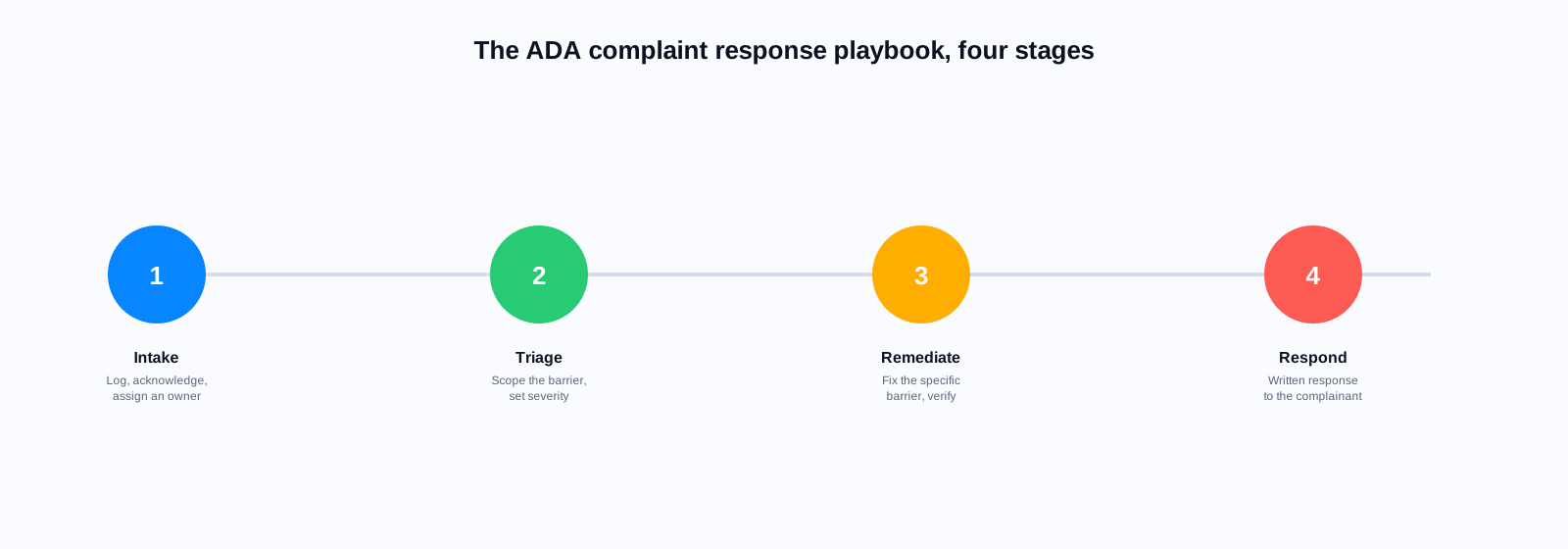
This blog post is a first-week playbook. It is not a substitute for legal advice, and if your agency has counsel you should engage them immediately. What follows is what agencies in your position have actually done to protect the organization, respond substantively, and start remediating in parallel.
Day One: What Not to Do
Before the substantive response steps, three things you should not do in the first 24 hours.
- Do not take the cited pages offline. Removing content that a complainant has cited can be construed as spoliation of evidence and destruction of the remediation record. The remedy the complainant wants is accessible content, not deleted content.
- Do not respond substantively to the complainant before your counsel has reviewed the complaint. A well-intentioned early response from the web team can commit the agency to remediation timelines or approaches that later become legally binding.
- Do not send a mass 'we are aware' communication to staff. The complaint is likely privileged work product once counsel is engaged. Keep the circulation tight until counsel advises otherwise.
Day One to Two: Assemble the Response Team
The response team on a Title II digital complaint typically includes: your agency's counsel, the ADA coordinator (every public entity of 50 or more employees is required to have one), the web team lead, the CIO or IT director, the head of the department responsible for the specific content cited, and the communications lead if the complaint is likely to become public.
This team should meet within 48 hours of receiving the complaint. The purpose of the first meeting is not to resolve the complaint. It is to align on the response process, assign the response drafter (usually counsel or the ADA coordinator), and establish a working cadence for the 30-day response window.
Day Two to Four: Preserve and Audit
Preserve the state of the cited content as it existed when the complaint was filed. Take timestamped screenshots. Save the HTML source. Export the accessibility tree from browser tools. If the cited content is a PDF, save a copy with metadata intact. This is not just for legal defense; it is the baseline against which you will measure remediation.
Run an automated accessibility scan on the cited pages using WAVE, axe DevTools, or Lighthouse. The scan will surface some violations the complainant identified and often several more. Document the full list. Automated scans typically catch 30 to 50 percent of accessibility issues. Plan for a manual audit as well.
For PDF documents cited in the complaint, run a PAC 2024 or Adobe Acrobat accessibility check, or scan the archive with an ADA Audit tool built for government-scale remediation. Government agencies frequently underestimate how many PDF violations exist. Our ADA PDF Remediation Checklist documents the full set of technical checks to perform in this audit phase.
Day Four to Seven: Assess the Full Scope
The complaint cites specific pages, but the underlying issues almost always exist elsewhere on your site. If the complaint cites missing image alt text on the homepage, that same issue exists on dozens of other pages. Your remediation plan will need to address the pattern, not just the cited instances. A complaint that comes back six months later citing new pages with the same violation is a much harder position to be in.
This is the point at which most agencies discover they need help. Manual accessibility auditing across a full government website is 200 to 500 hours of work depending on site size. The internal web team almost never has that capacity available while also doing their day job. Common options: engage an accessibility consultancy for a full site audit, procure an automated accessibility monitoring platform, or both.
The complaint cited fourteen pages. When we audited, we had four hundred and thirty pages with the same issues. That was the moment we realized remediation was going to be a program, not a project, and we needed the tooling and staffing to match.
Web accessibility coordinator, state agency, Southeast US
Day Seven to Fourteen: Draft the Response
The substantive response to the complaint typically includes several elements. First, acknowledgment of the complaint and the specific issues raised. Second, a description of the immediate remediation steps the agency has already taken on the cited content. Third, a broader remediation plan with milestones and target dates. Fourth, a description of the ongoing monitoring and prevention measures the agency is implementing.
The response should be specific enough that the complainant can see the agency has taken the complaint seriously, without committing to unrealistic timelines the agency cannot meet. Missing a self-imposed deadline in the response letter is worse than proposing a longer deadline in the first place. Counsel typically drafts the final response with input from the team, and it goes over the signature of the agency head or ADA coordinator.
Day Fourteen to Thirty: Start Remediating in Parallel
The 30-day response deadline is for the letter, not for the remediation. But you should have started remediating the cited pages by day 14 at the latest. Fix the cited content first. Move next to any pages with the same issues that get high traffic. Then work through the rest of the site systematically.
For PDFs, remediation is more expensive and takes longer. Prioritize by traffic and by legal exposure. A high-traffic form PDF gets remediated before a low-traffic reference document. A PDF that is central to a regulated service (permits, benefits applications, tax forms) gets remediated before an internal-facing document that happens to be public.
April 2027
extended ADA Title II deadline for public entities 50,000+ population
April 2028
extended ADA Title II deadline for public entities under 50,000
1,300+
web-accessibility lawsuits filed in the US in 2025 alone
30 days
typical response window for a Title II digital complaint
$75K–$500K
typical settlement range for a government ADA digital complaint that goes to consent decree
72%
of government PDFs fail baseline accessibility checks in independent audits
The Second Order Problem: Preventing the Next Complaint
Responding to one complaint is a project. Preventing the next one is a program. Agencies that have been through the complaint process once and then received a second complaint eighteen months later almost always trace the second complaint to content published after the first remediation. New content, published without accessibility review, reintroduces the issues that the first remediation cleared.
The prevention program has three elements. Training for content authors on accessibility fundamentals. Automated scanning integrated into the publishing workflow so violations are caught before content goes live. And a periodic accessibility audit (at least annually) that treats accessibility like security: continuous, not point-in-time.
Where AI Search Fits In
AI search is not an accessibility remediation tool, but it is often part of the story. Two reasons. First, an accessible search experience is itself a WCAG 2.1 AA requirement, and legacy site search interfaces often fail keyboard navigation, screen reader labeling, and error messaging tests. Modernising site search as part of a remediation program picks up an easy compliance win.
Second, AI search that generates synthesised answers reduces the number of legacy PDFs a resident actually needs to open. If the answer is on the page above the fold, the resident does not need to download the inaccessible 40-page PDF the answer is buried in. This is not a substitute for remediating the PDF, but it materially reduces the accessibility surface area of your website while remediation proceeds.
One thing worth doing today
Even if you have not received a complaint, spend an hour running WAVE, axe DevTools, or Lighthouse on your five most-trafficked pages. Then do the same for the five most-downloaded PDFs. Write down what you find. That list, dated today, is what your future 30-day response window is going to be built on.
Bring this to your response team meeting
Download the ADA PDF Remediation Checklist: the phase-by-phase plan for inventory, audit, prioritisation, and the documentation trail DOJ expects to see.
Related reading
Facing a complaint now or bracing for the 2027 deadline: book a demo and see how ADA Audit remediates a sample of your own PDF archive.
Ready to see it in action?
Book a demo and we'll configure Keyspider on a live sample of your content, within 48 hours.
Book a Demo