

Install with JS Library
The fastest path to intelligent search on your site. Copy one JavaScript snippet into your page, and Keyspider search is live. No server-side changes, no backend integrations, no developer bottleneck. Business users can deploy and configure without engineering involvement.
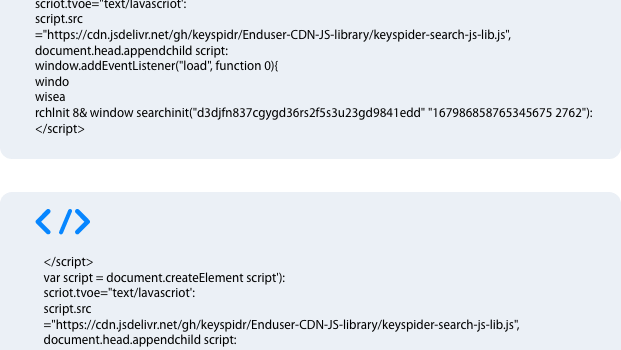
How it works
Copy your snippet from the dashboard
After configuring your search form in the Keyspider admin console, copy the generated JS snippet, it includes your collection ID and form configuration automatically.
Paste it into your page
Add the snippet to the <head> or before the </body> of any page. Add a target element, a div or input, where the search widget should render.
Search goes live immediately
The widget initialises on page load. Users can start searching straight away. Styling, facets, and relevance are all controlled from the admin console, no code edits needed.
Use cases
WordPress and CMS sites
Replace slow, inadequate native CMS search with Keyspider in minutes. The JS snippet works alongside any WordPress theme or page builder.
Static sites and JAMstack
No server-side search for static sites? Keyspider's JS library fills the gap, adding intelligent search to Gatsby, Next.js, Hugo, or any static site generator.
Low-code and no-code platforms
Webflow, Squarespace, and similar platforms can't easily run server-side search. The JS library works anywhere you can add custom code.
Ready to give your users better answers?
AI Search, AI Assistant, and Workplace Search. Deployed in days, not months. See it live on your own content.
No credit card required · Live in 2 weeks · Cancel anytime