

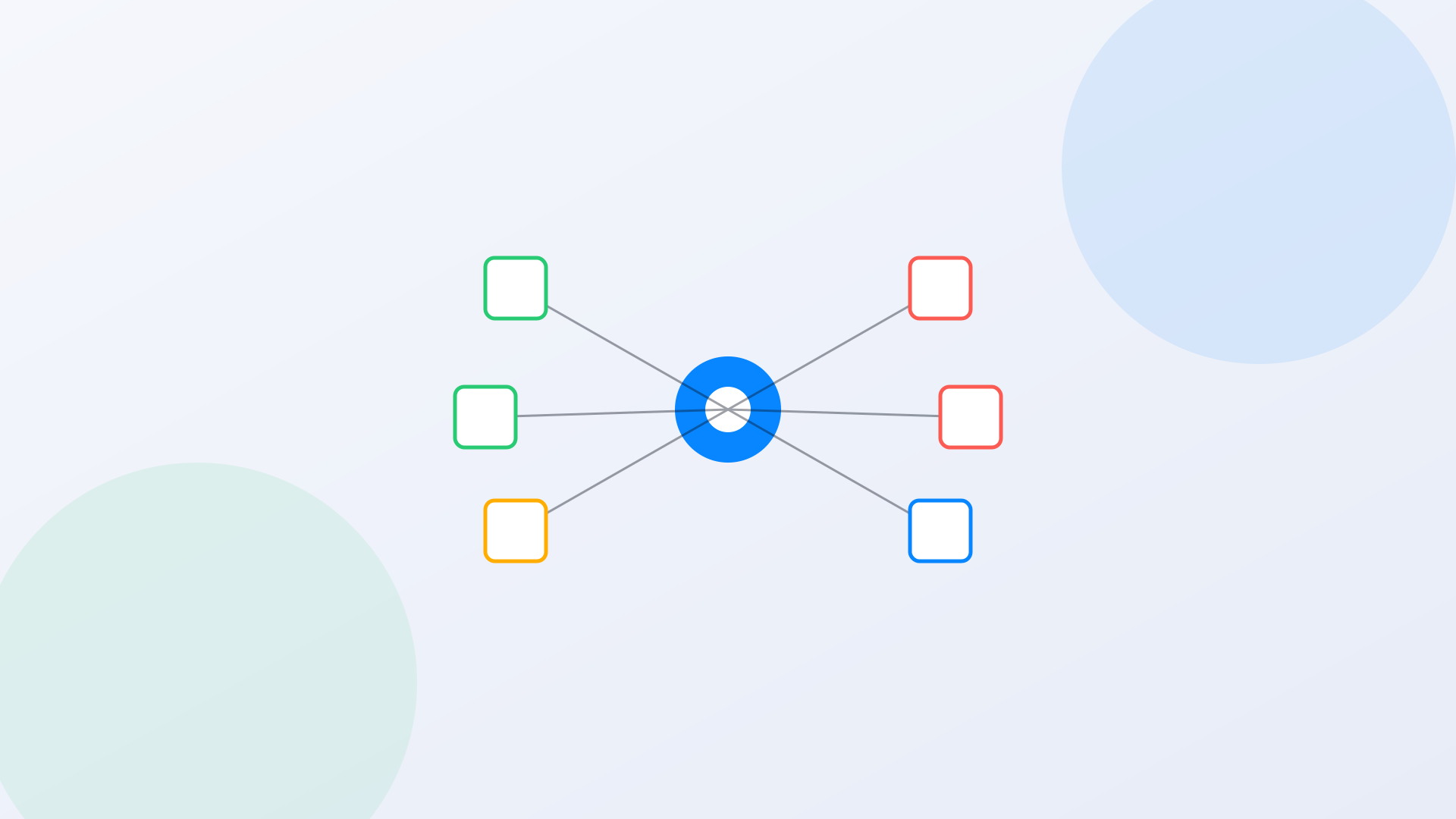
A state agency IT director we spoke with in early 2026 manages 46 department websites, 12 of them on WordPress, 9 on Drupal, 3 on a legacy .NET content system nobody wants to touch, and the rest on platforms nobody in the current department can fully name. Leadership wants one portal. One search bar. A resident should be able to type a question and get an answer, regardless of which department owns the underlying page. Nobody wants to migrate 46 sites onto one CMS to make that happen, and nobody has the two years or the budget it would take.
This is federated search government portal architecture: the practice of searching across multiple independently hosted, independently governed websites and systems without merging their backends into one platform. It is the only realistic path for most state and local governments, because the underlying content, permissions, and publishing workflows belong to departments that will never agree to give up their own systems. This whitepaper is a technical reference for IT directors and architects evaluating that path. It covers the federation models available, how index freshness actually works, how authority and permission signals are handled across sources with no common identity system, and what WCAG 2.1 AA and Section 508 require of the resulting search interface.
What Federated Search Actually Means
Federated search is often used loosely to mean 'search across more than one system,' which obscures a real architectural distinction. There are two fundamentally different ways to search across multiple sources, and government IT teams should understand both before signing a contract.
True Federation: Query Fan-Out
In a true federated model, the search platform does not hold a copy of the content. A query arrives, the platform fans it out in real time to each connected system's own search API, waits for each system to respond, and merges the results into one ranked list. This was the dominant model for enterprise search in the 2000s and early 2010s, when storage was expensive and systems were siloed by necessity.
The problem for a government portal: query fan-out is only as fast as the slowest connected system, and it is only as good as the weakest search implementation among the sources. If one of your 46 department sites runs default WordPress search (notoriously poor at relevance ranking), fan-out federation surfaces those poor results verbatim, because there is no unified relevance model across sources. Latency compounds too. If three of nine department systems take 800ms to respond, the resident waits 800ms no matter how fast the other six are.
Unified Index Federation: Crawl and Consolidate
The model that has become dominant for modern government portals is unified index federation. The search platform crawls or connects to each source system, pulls the content into one consolidated index, applies one relevance model across everything, and serves queries against that single index rather than fanning out live. The resident gets one fast, consistently ranked result set. The department sites keep their own CMS, their own publishing workflow, their own editorial control. Nothing about the underlying 46 systems has to change.
This is the model AI Search uses for multi-site government portal deployments. Connectors and scheduled crawls pull content from each department site into a unified semantic index, so a query against 'building permit renewal' returns the right page whether it lives on the WordPress-based planning department site or the legacy .NET public works portal, ranked by relevance and authority rather than by which system happened to respond first.
| Factor | Query Fan-Out Federation | Unified Index Federation |
|---|---|---|
| Response latency | Bound by slowest connected system | Consistent, index-local response time |
| Relevance ranking | No cross-source normalization; each system ranks independently | Single relevance model applied across all sources |
| Result quality floor | Limited by the weakest search implementation among sources | Uniform quality regardless of source system's native search |
| Content freshness | Always real-time (queries the live system) | Depends on crawl/sync schedule (typically minutes to hours) |
| Semantic/AI search support | Difficult; each source must support it independently | Native; applied once at the index layer |
| Infrastructure load on source systems | Every query hits every source system | Source systems only touched during crawl/sync, not per-query |
| Best fit | Small number of sources, real-time data (e.g., live inventory) | Government portals with many department sites, static-to-moderate update frequency |
Connector Architecture: How Content Actually Gets From 46 Sources Into One Index
The word 'connector' does a lot of work in vendor sales materials and not much explaining. It's worth being precise about what actually happens between a department's WordPress site and the unified index, because the mechanism determines both content coverage and how much department IT involvement the project requires.
Crawler-Based Connectors
A crawler-based connector works the way a search engine works: it requests pages over HTTP, follows links, and extracts content from the rendered HTML, respecting robots.txt directives and any noindex meta tags along the way. This is the lowest-friction connector type because it requires zero cooperation from the source system beyond the site being publicly reachable. It's also the connector of choice for legacy or custom CMS platforms where no API or plugin marketplace exists. The tradeoff: crawler-based connectors can only see what's rendered in the HTML, so content locked behind JavaScript rendering or authentication needs a different approach.
API and Plugin-Based Connectors
For platforms with a documented API, WordPress's REST API and Drupal's JSON:API among them, a connector can pull structured content directly: post type, author, publish date, taxonomy terms, and the raw content body, without the lossiness of parsing rendered HTML. This produces cleaner metadata for authority weighting and faceted search, and it can support webhook-triggered updates for near-real-time freshness. The tradeoff is department IT involvement: someone with admin access to the source CMS needs to install a plugin or generate an API credential, which for a 46-site portfolio means 46 separate, small IT conversations rather than one clean cutover.
Database and File-System Connectors
For legacy systems with no usable API and content that isn't fully represented in rendered HTML, a database connector reads content directly from the source system's underlying data store. This is the least common connector type in a government portal consolidation, reserved for the one or two genuinely difficult legacy systems in most 40-plus-site portfolios, and it typically requires the most department IT coordination of any connector type, since it involves direct data access rather than a public-facing crawl or a documented API.
Deduplication Across Sources
A near-universal problem in multi-department portals: the same policy document, the same form, the same public notice, gets published on more than one department site, sometimes with slightly different formatting or a slightly stale version on one side. A unified index needs deduplication logic that can recognize near-duplicate content across sources and either merge the results into a single entry (pointing to the canonical or most recently updated version) or clearly label them as related versions rather than presenting both as unrelated, competing answers to the same query. Content hashing and semantic similarity scoring both play a role here; exact-match hashing catches identical re-published PDFs, while semantic similarity catches near-duplicate pages with different wording covering the same topic.
How Should Index Freshness Work Across 40 Department Sites?
Freshness is the most common objection IT directors raise about unified index federation. It's a fair question, and it deserves a specific answer rather than a marketing one.
A well-built crawl strategy treats freshness as a tiered problem rather than a single setting. Not every department site publishes at the same rate, and treating all 46 sources identically wastes crawl capacity on sites that update quarterly while under-serving sites that publish daily.
Tiered Crawl Scheduling
High-volume, high-change sources, a public health department during flu season, an emergency management site during storm season, benefit from near-real-time sync: webhook-triggered re-indexing the moment content publishes, or crawls every 15 to 30 minutes. Moderate-change sources, most department informational pages, typically run on a 4 to 12 hour crawl cycle. Low-change sources, historical archives, static policy pages, can run daily or even weekly without any resident-facing impact.
The practical configuration question isn't 'how fresh can the index be.' It's 'which of our 46 sources actually need sub-hour freshness, and which are we crawling too aggressively out of habit.' Most government portals we've seen over-provision crawl frequency for slow-changing archive content and under-provision it for the two or three sites that genuinely publish daily, emergency alerts and public health being the two most common misses.
Webhook and API-Triggered Updates
For CMS platforms that support outbound webhooks, WordPress and Drupal both do with standard plugins, the cleanest freshness model isn't scheduled crawling at all. It's event-driven: the moment an editor publishes or updates a page, the CMS fires a webhook that tells the search index to re-crawl that specific URL. This gets near-real-time freshness without the infrastructure cost of continuously polling every source. For legacy systems without webhook support, scheduled crawling remains the fallback, and it's a perfectly serviceable one for content that doesn't change hourly.
46
typical department subsites in a mid-sized state agency portal
15–30 min
recommended crawl interval for high-change sources (alerts, health)
4–12 hrs
typical crawl interval for standard department content
3
common CMS platforms in a single government portal: WordPress, Drupal, legacy/custom
Authority and Permission Signals Without a Common Identity System
This is the architectural problem that most vendors gloss over. Forty-six department sites have 46 different content management systems, 46 different editorial teams, and, critically, no shared way of saying 'this page is authoritative' or 'this page should never appear in search results.' A unified index has to solve two distinct problems: which result should rank first when multiple sources have similar content, and which content should never surface at all.
Content Authority Signals
When the parks department and the events calendar both have a page about the same summer concert series, which one should rank first? Relying purely on text relevance produces arbitrary results. A well-configured federated index applies explicit authority weighting: source-level trust scores (the department that owns the topic ranks higher for topic-specific queries), recency weighting (the more recently updated page wins ties), and canonical URL designation (editors can mark one page as the authoritative source when duplicate content exists across sites).
Practically, this means the IT team configuring the federated index needs to make a small number of source-priority decisions up front: which department 'owns' which topic areas, and what happens when two sources genuinely disagree (usually a signal that the content itself needs an editorial fix, not just a ranking fix).
Content Exclusion and Permission Boundaries
Not everything on 46 department sites should be searchable from the unified portal. Staff intranets accidentally left in a public folder, draft pages not yet meant for publication, internal memos indexed by accident because a crawler didn't respect a noindex tag. A federated crawl needs robots.txt and noindex compliance by default, plus an explicit source-level allowlist rather than a blocklist: each department site is configured with exactly which sections are in scope for the public portal index, not simply 'everything except what we remember to exclude.'
For portals that include any authenticated content, staff intranets, internal knowledge bases, benefits portals with resident-specific data, permission-aware indexing becomes mandatory rather than optional. That means the search index respects the same access controls as the source system: a resident's authenticated session only surfaces results they're actually entitled to see, and the index itself never serves as a bypass around a source system's access rules. This is the same architecture problem Workplace Search solves for internal staff search across SharePoint, ServiceNow, and Salesforce, applied here to public-facing multi-department portals with a mix of public and gated content.
A specific failure mode worth naming
We've seen more than one government portal migration where a federated crawl indexed a staff-only SharePoint folder that had been mistakenly left world-readable, because the crawl configuration trusted the source system's own access rules rather than verifying them. The fix isn't complicated: verify permission inheritance during the connector setup, and test with a non-privileged account before going live. But it has to be a deliberate step, not an assumption.
Relevance Ranking Across Heterogeneous Content Types
A single unified index for a government portal typically contains several fundamentally different content types: HTML informational pages, PDF forms and reports, structured data from a permitting or licensing system, and sometimes calendar or event data with its own date-driven relevance logic. Ranking these consistently against a single relevance model, rather than treating each content type as a separate silo with its own ranking rules, is one of the harder problems in federated search architecture and one of the most consequential for whether residents actually find the right answer first.
Semantic relevance, matching query intent rather than exact keyword overlap, handles the biggest source of failure in traditional keyword-based federated search: a resident who searches 'get my kid signed up for summer camp' should match a page titled 'Youth Recreation Program Registration' even though none of the query words appear verbatim on the page. Layered on top of semantic matching, authority and recency signals (discussed above) resolve ties between multiple relevant results, and content-type-specific boosting handles cases where a resident's intent implies a preference, someone searching for a specific form number almost certainly wants the PDF, not a general informational page about the program the form belongs to.
Do You Need to Migrate Every Site to One CMS First?
No. This is the most common misconception blocking government portal consolidation projects, and it's worth stating plainly because it changes the entire project timeline and budget. A unified search layer does not require a unified content platform underneath it.
The department that owns the parks and recreation site keeps publishing in WordPress. The department running the legacy benefits portal keeps its custom system, the one nobody wants to touch because it's tied to a mainframe eligibility engine that would take three years and a separate procurement to replace. Federated search connects to each source through standard connectors, an API integration, a crawler, a database connector, and builds the unified index without disturbing any of the underlying publishing workflows. The portal consolidation project that used to mean 'migrate 46 sites onto one CMS over 24 months' becomes 'connect 46 sites to one search layer over 8 to 12 weeks.'
WCAG 2.1 AA and Section 508 Compliance of the Search Interface
A federated search deployment introduces one new, unified search interface that every resident interacting with the portal will use, regardless of which department's content they're searching. That interface carries its own accessibility obligations, separate from whatever accessibility state the 46 underlying department sites happen to be in. Getting the search UI itself wrong undermines the entire consolidation effort for residents using assistive technology.
Under the April 2024 Department of Justice rule implementing ADA Title II, state and local government entities with populations of 50,000 or more (or budgets of $50 million or more) must bring web content, including any new unified portal search interface, into conformance with WCAG 2.1 Level AA by April 26, 2027, after DOJ extended the original April 2026 date by a year. Smaller entities have until April 26, 2028. Section 508 applies in parallel for any federally funded system, which covers most SLED technology procurement. A new federated search interface built today should be built to these standards from day one rather than retrofitted after launch.
| Requirement | Standard | What the Search Interface Must Do |
|---|---|---|
| Keyboard operability | WCAG 2.1 AA (2.1.1 Keyboard) | Full search workflow (query, autosuggest, result navigation, filters) usable without a mouse |
| Focus management | WCAG 2.1 AA (2.4.3 Focus Order) | Focus moves logically when results or AI-generated answers render; never trapped or lost |
| Screen reader announcement | WCAG 2.1 AA (4.1.3 Status Messages) | Result counts and loading states announced via ARIA live regions |
| Color contrast | WCAG 2.1 AA (1.4.3 Contrast Minimum) | All result text, including metadata and source labels, meets 4.5:1 contrast ratio |
| Source attribution clarity | Section 508 / WCAG 1.3.1 Info & Relationships | Each result clearly indicates which department source it came from, conveyed programmatically, not by color alone |
| Labeling | WCAG 2.1 AA (3.3.2 Labels or Instructions) | Search input has a persistent visible label, not placeholder text alone |
| Federal funding compliance | Section 508 | Applies in parallel to any federally funded state or education system regardless of population threshold |
One consolidation-specific accessibility risk deserves explicit mention: a unified portal search that surfaces PDFs from 46 different department archives is only as accessible as the least accessible PDF in the combined index. A federated search deployment is a natural moment to also run an ADA Audit across the consolidated document library, since it's the first time the agency has visibility into every department's PDF backlog in one place.
Multilingual Content Across a Federated Index
Multi-department portals rarely handle multilingual content consistently. The parks department might publish event pages in English and Spanish. The benefits office might have a fuller translated library because of Executive Order 13166 language-access obligations tied to federally funded programs. The public works department might have no translated content at all. A resident searching in Spanish should not get a worse, thinner result set simply because the query happened to touch a department with less translation coverage than another.
A federated index handles this correctly by treating language as a first-class signal rather than an afterthought bolted onto English-first search. Content should be indexed and matched in its original language, with query understanding that works across languages rather than a keyword match limited to whatever language the page happens to be published in. When a resident searches in Spanish and the only responsive content exists in English, on a source department's site, AI Assistant can synthesize a grounded answer in the resident's language directly from that English source, closing the coverage gap department by department rather than forcing every one of 46 sites to reach translation parity before the portal search can serve non-English speakers well.
Practically, this means a federation project is a reasonable moment to also audit which departments have meaningful non-English content and which don't, since the unified query log will surface non-English query volume by topic in a way no single department's own analytics could. Departments with disproportionately high non-English query volume and thin translated content become an obvious next priority for the language-access program, independent of the search project itself.
Total Cost of Ownership: Federation vs. Platform Consolidation
IT leadership evaluating a multi-department portal project usually frames the decision as search versus redesign, when the more accurate framing is search now, redesign later if it's still needed. The cost structures of the two approaches diverge sharply enough that it's worth laying out plainly, because the redesign path is often chosen by default, out of habit, rather than because anyone ran the comparison.
| Cost Factor | Full CMS Platform Consolidation | Federated Search Layer |
|---|---|---|
| Typical timeline (40+ sources) | 18–30 months | 8–12 weeks |
| Per-department migration effort | Full content migration, template rebuild, retraining | Connector configuration only; no content migration |
| Department political friction | High; departments lose their own publishing platform | Low; departments keep existing CMS and workflow |
| Budget structure | Capital project, typically a standalone procurement per phase | Single platform license plus implementation services |
| Risk of content or SEO loss | Material, url structure and content often changes during migration | Minimal; source URLs and department ownership unchanged |
| Resident-facing improvement timeline | Deferred until the full migration completes | Live within weeks of connector rollout |
None of this argues that platform consolidation is never worth doing. A genuinely obsolete legacy CMS with real security exposure or an unsupportable vendor relationship is its own problem, and federated search doesn't fix that underlying risk. What it does fix is the resident-facing symptom, findability, without making the platform question a prerequisite. Agencies that need both often find the search layer buys them the political and budgetary runway to plan platform consolidation properly, rather than rushing it to solve a search problem that federation would have solved in three months anyway.
A Phased Approach to Portal Consolidation
Government portal consolidation projects that succeed tend to share a phased structure rather than a single big-bang cutover. The following sequence reflects what has worked across state and county deployments with 20 or more department sources.
- 1Inventory and source audit (Weeks 1–2): catalog every department site, its CMS platform, its content volume, its update frequency, and whether it holds any authenticated or sensitive content that requires permission-aware indexing.
- 2Connector configuration and pilot crawl (Weeks 3–5): connect a subset of 5 to 8 representative sources, covering the major CMS platforms in use, and validate crawl coverage, freshness, and authority weighting before scaling to all sources.
- 3Authority and exclusion rules (Weeks 4–6, in parallel): work with department stakeholders to define topic ownership for authority weighting and confirm exclusion rules for any non-public content.
- 4Accessibility validation (Weeks 5–7, in parallel): test the unified search UI against WCAG 2.1 AA using automated scanning, full keyboard-only workflows, and screen reader testing with NVDA and VoiceOver.
- 5Full source onboarding (Weeks 6–10): connect the remaining department sources in batches, validating crawl completeness and result quality at each batch.
- 6Parallel run and cutover (Weeks 9–12): run the unified portal search alongside existing per-site search for a validation period, then cut over the primary portal search experience.
What this replaces
Compare this 10 to 12 week connector-based timeline to a full CMS consolidation project, which typically runs 18 to 30 months for a portfolio of 40+ department sites, requires separate migration budget for every department, and creates political friction with departments that don't want to give up their publishing platform. Federated search delivers the resident-facing outcome, one search bar across every department, without requiring that fight.
How Should Federated Search Be Procured and Budgeted?
A federated search layer typically procures as a single platform license plus implementation services, distinct from any individual department's technology budget, which is itself part of why it moves faster than a redesign: there's one procurement conversation instead of 46 department-level ones. Most SLED buyers reach it through cooperative purchasing vehicles rather than a standalone RFP, GSA MAS, NASPO ValuePoint, or OMNIA Partners, all of which allow eligible state and local entities to procure against a pre-negotiated contract rather than running a full competitive solicitation from scratch. That distinction matters for budget cycle timing: a project procured through a cooperative vehicle can often move within a single budget cycle, where a full RFP process routinely stretches procurement alone past six months before implementation even starts.
Budget owners should also expect the cost structure to differ from a typical department software purchase. Because the platform serves the entire portal rather than one department, funding sometimes comes from a shared IT or digital services budget line rather than any single department's line item, which means the project needs an executive sponsor above the department level, someone in a CIO or digital services director role who can authorize a cross-department budget allocation. Projects that try to fund federation out of one department's budget while serving all 46 sources tend to stall on the fairness question of why one department is paying for something every department benefits from.
How Long Does a Federated Search Deployment Take for a Large Portfolio?
For a portfolio in the 40 to 60 source range, a properly scoped federated search deployment typically runs 8 to 12 weeks from kickoff to full cutover, following the phased sequence outlined below. Larger portfolios, 100 or more department and agency sources, extend that timeline to roughly 4 to 6 months, mostly because source onboarding happens in more, smaller batches to keep quality validation manageable rather than because any single technical step takes meaningfully longer. The variable that most reliably extends a timeline isn't the technology. It's how many department stakeholders need to sign off on authority and exclusion rules before their content goes live in the unified index, and how quickly those conversations happen.
What to Require From a Federated Search Vendor
Government procurement teams evaluating federated search platforms should require specific, verifiable answers rather than general assurances of capability.
Federated Search Vendor Requirements
Connector support for your actual CMS mix
Confirm native connectors for WordPress, Drupal, and any custom or legacy platforms in your portfolio, not just 'API integration available' as a general claim.
Documented crawl freshness controls
Ask for the specific mechanism: scheduled crawl intervals, webhook-triggered updates, or both, and whether freshness settings can be configured per source rather than globally.
Permission-aware indexing for any authenticated sources
If any department source includes gated or resident-specific content, confirm the platform respects source-system access controls rather than flattening everything into one public index.
Configurable authority and ranking weights
Confirm the platform supports source-level trust weighting and canonical content designation, not just raw text relevance scoring.
Third-party WCAG 2.1 AA audit of the search UI itself
Request the audit report and testing methodology, not a marketing claim of compliance. Ask specifically whether AI-generated answer panels were included in the audit scope.
Section 508 VPAT current within 12 months
A Voluntary Product Accessibility Template that has not been updated in over a year does not reflect current product behavior.
Reference deployment with a comparable number of sources
Ask for a reference customer managing 20 or more federated department sources, not a single-site deployment presented as evidence of multi-source capability.
Monitoring and Query Analytics Once the Federation Is Live
Launch is the start of the useful data, not the end of the project. A unified index across 40-plus department sources produces a query log that no single department site ever generated on its own, and that log is worth treating as a standing input to portal governance, not a one-time launch metric.
Cross-Department Query Patterns
Once search spans every department, patterns emerge that no single department's own analytics could ever surface. A resident searching "payment plan" might click through to results from three different departments in a single session, tax, utilities, and courts, revealing that the resident's actual need cuts across organizational boundaries the portal's navigation structure was never built to reflect. That's a genuinely new signal, not something a redesign of any one department's site would have found.
Zero-Result and Low-Confidence Query Review
Establish a monthly review cadence for zero-result queries and low-confidence matches across the unified index, and route findings back to the specific department that owns the missing or poorly indexed content. This is the mechanism that keeps a federated index from decaying: departments that never see their own zero-result data have no signal telling them a page needs to be added, retitled, or reorganized for findability.
Governance Ownership of the Search Layer Itself
Assign a named owner for the unified search layer, distinct from any single department's web content owner. Federation inherently spans organizational boundaries, and a search layer with no single accountable owner tends to drift: ranking issues go unreported, new sources fail to get connected during future site launches, and accessibility regressions in the search UI go unnoticed until a complaint arrives. One accountable owner, even a part-time role folded into an existing digital services position, prevents that drift.
Reporting Cadence to Leadership
Quarterly is the right cadence for reporting federation health to executive sponsors, more often than that produces noise instead of signal, less often and drift goes unnoticed for too long. A useful quarterly report covers four things: total query volume and its growth trend, zero-result rate by department (the single best proxy for content gaps), any accessibility regressions caught in the search UI's automated scanning, and a short list of the two or three highest-value content fixes recommended for the next quarter. Keep it to one page. The point of the report is to keep the search layer visible as shared infrastructure worth maintaining, not to generate a document nobody reads past the executive summary.
Related resources
Government Website Migration Checklist
A step-by-step checklist for consolidating department sites without losing content or SEO value.
How a Redesign Can Fix (or Break) Government Website Search
What to get right about search when a portal redesign or consolidation is on the table.
WCAG 2.1 AA Compliance and AI Search
A deeper technical guide to accessibility testing for AI-powered search interfaces.
State Government
How Keyspider supports state agencies consolidating multi-department digital services.
SLED AI Search Procurement Checklist
52 vendor evaluation questions, including architecture and compliance sections relevant to federation.
Dark Content: The Government Pages Nobody Can Find
Why department site sprawl creates invisible pages, and how a unified index surfaces them.
AI Search, Product Overview
How Keyspider's unified index architecture connects multiple department sources into one search layer.
Website Search Solutions
How federated search fits into a broader government website search strategy.
Consolidating 20 or more department sites into one portal?
Our architecture team will map your current CMS mix, connector requirements, and authority rules, and show you a working federated index on a sample of your actual department content.
Request an Architecture Assessment