

Your Government Website Has a Dark Content Problem
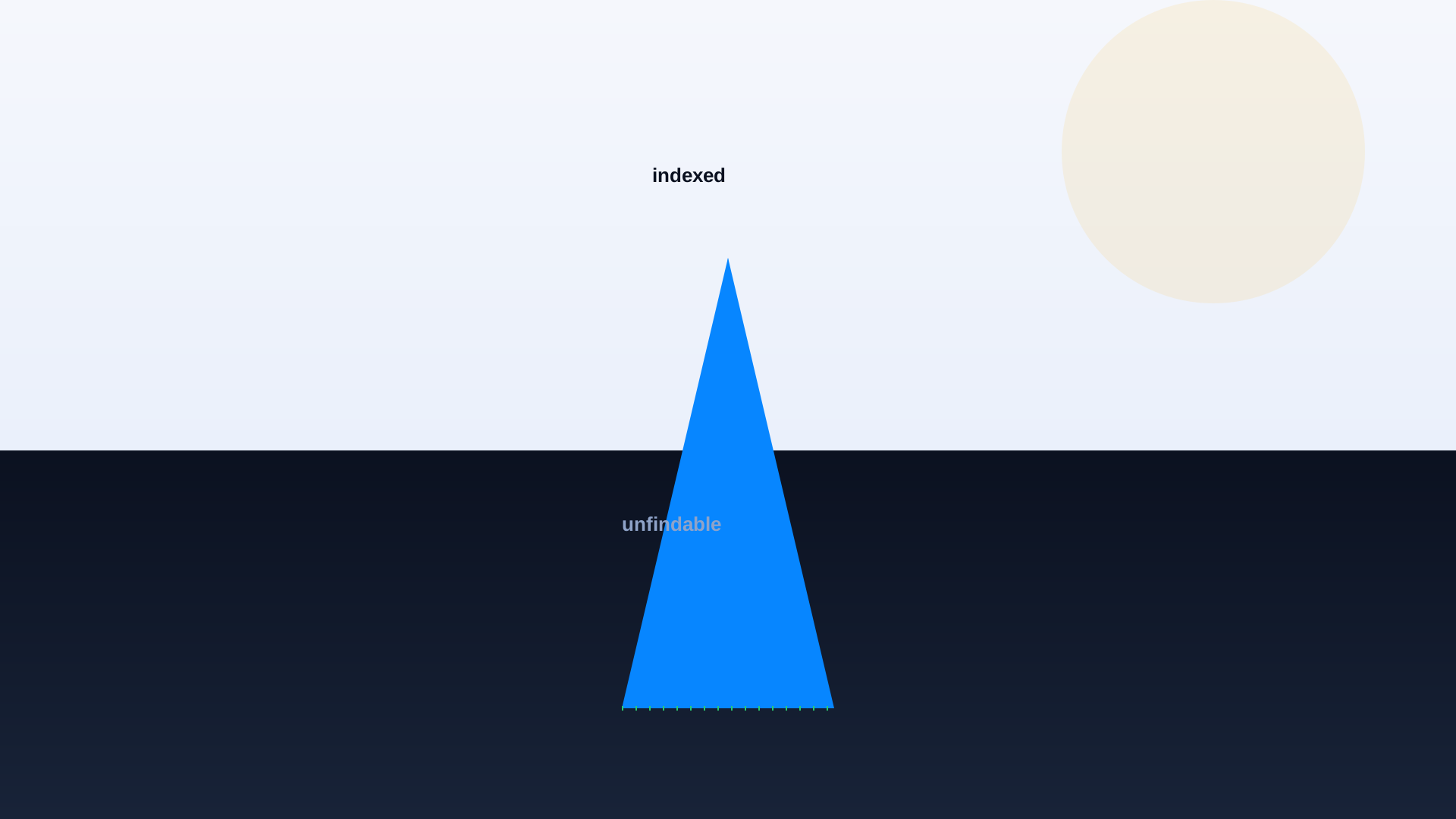
There is a page on your government website right now that was published in 2017. It contains a phone number that is no longer valid, a program eligibility rule that changed two years ago, and a link to a PDF that has been broken since the last CMS migration. It receives 30 visitors a month, all of them from Google. None of your staff know it exists. This page is not an edge case. On the average state government website, we estimate that 35 to 55 percent of pages fit this pattern.
Dark content, sometimes called orphan content or ROT content (redundant, outdated, trivial), is what happens when a website has been running for a decade or more without a systematic content lifecycle. It is invisible to your internal navigation, invisible to your internal search relevance tuning, and often invisible to your CMS reporting. But it is very much visible to Google, and Google keeps sending people there. A share of that content is also sitting outside current ADA Title II and WCAG 2.1 AA expectations, which turns a findability problem into a compliance one.
How Dark Content Actually Hurts You
Wrong Answers to Real Questions
The main harm is that residents landing on outdated pages get incorrect information about your services. A resident who found a 2019 page about permit fees pays the wrong amount and shows up at counter service angry. A resident who found a 2017 page about eligibility rules concludes they do not qualify for a program they now do qualify for. A resident who found a page with a disconnected phone number gives up.
Compliance and Legal Exposure
Old pages often contain content that has since become non-compliant. A 2018 page might have missing image alt text under current ADA Title II expectations. A 2019 page might reference a program benefit calculation that has since been struck down by a court order. A 2020 page might contain outdated fee schedules that create disputes when residents rely on them. If a resident cites an outdated page from your site as the basis for their action, your agency inherits the dispute.
Search Quality Degradation
The larger your site becomes, the harder your internal search has to work to surface the right content. Every outdated page competes with current pages for relevance signals. A resident searching for 'utility bill payment' who gets a 2016 page about a payment portal that has since been retired is now on a dead end. This is a search relevance problem caused entirely by content bloat.
AI Chat Grounding Contamination
This one is newer and it is the reason dark content is getting more urgent. When you deploy AI Assistant or AI Search on your website, the model grounds its answers in your content. If your content includes outdated pages, it may cite them. Modern retrieval systems try to prioritize recently updated content, but they can only work with what you give them. Cleaning up dark content is now a prerequisite for reliable AI answers.
How to Find Your Dark Content
There is no single perfect method. What works is a set of overlapping techniques that together give you a clear picture of what to do next.
Method 1: The Analytics-to-Sitemap Gap
Pull your XML sitemap. Pull your analytics for the last 12 months. Compare. Any page in the sitemap that has received fewer than a threshold of visits (say, 100 per year) is a candidate for review. Some of these are legitimate low-traffic pages that should stay. Most are dark.
Method 2: The Last-Modified Date Cut
Pull every URL on your site with its last-modified date. Sort ascending. Every page not updated in three years is a candidate for review. Every page not updated in five years is almost certainly either dark content or something that should be moved to an archive.
Method 3: The Zero-Results Query Log
This one is inverted. Pull your site search zero-results queries. Not all of them are dark content problems, but many of them are: residents are searching for information that used to exist, then was deleted or moved without a redirect. Cross-reference the queries with the Wayback Machine to see if the missing content used to be there.
Method 4: The Broken Outbound Link Audit
Every page on your site links out to other pages, both internal and external. A page with a high concentration of broken outbound links is either dark content or is about to become dark content. Run a link checker across your full site. The pages with the worst outbound link health are your first cleanup candidates.
35–55%
estimated share of pages on the average state government website that qualify as dark content
3 yrs
typical threshold beyond which unmodified pages should be reviewed for retirement
12–18%
of resident-facing bounces on legacy government sites can be traced to dark content landings
72%
of AI chat quality problems on government content trace back to outdated source pages
5 hrs
typical time to audit and triage 100 pages of legacy content with an experienced content strategist
-40%
typical reduction in support call volume after a first-round dark content cleanup
What to Do With What You Find
The temptation is to just delete everything old. That is the wrong move for a government website. A page that Google has indexed for eight years accumulates authority, and its URL may be linked from other government sites, from journalist archives, from bookmarks. Deleting it without a redirect breaks those inbound links and destroys the SEO value.
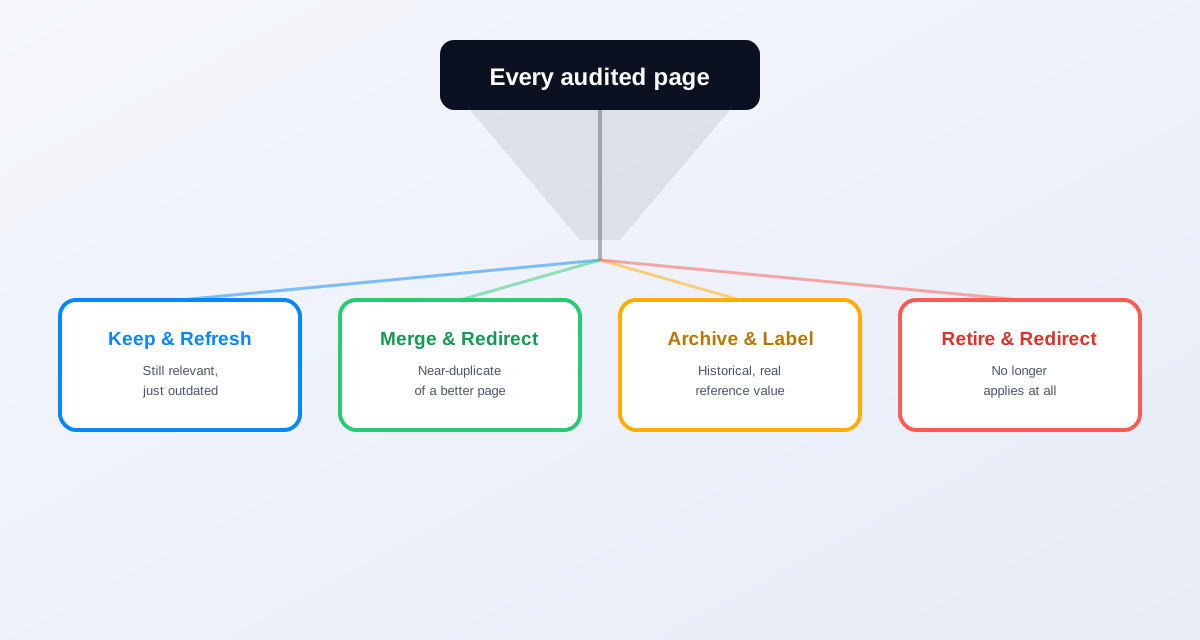
The right pattern for each dark page is one of four decisions.
- 1Keep and refresh. The page is still relevant, still needed, just outdated. Update the content, verify the links, republish with a new last-modified date. This is right for pages that residents are still landing on for legitimate reasons.
- 2Merge and redirect. The page covers a topic that also exists on another, better page. Merge any unique content into the better page, then set up a 301 redirect from the old URL. This is right for pages that are near-duplicates or that split a topic that should be unified.
- 3Archive and label. The page contains historical information that has legitimate reference value (past budget documents, historical council minutes, sunset program information). Move it to a clearly labeled archive section with a visible notice on the page.
- 4Retire and redirect. The page covers a topic that no longer applies at all. Set up a 301 redirect to the closest relevant current page. Do not just delete without redirecting.
When we finally audited, our government site had 8,400 pages. We ended up with a target set of 3,100. Everything else was refreshed, merged, archived, or redirected. Our support call volume dropped in the first quarter after the cleanup, and our internal search relevance improved measurably. We had been paying for the dark content in ways we could not see.
Digital services director, state agency, Southwest US
The Ongoing Governance
A one-time cleanup is not enough. Dark content re-accumulates. A sustainable content governance program has three elements. A published review cycle (every page has a next-review date, every content owner has a review responsibility). An automated flag system (pages not updated in N months get flagged for review). And a retirement workflow (when a page is retired, redirects are set up automatically as part of the workflow).
The tooling to make this sustainable does not need to be exotic. Most modern CMSs support scheduled review reminders and automated redirect management if you set them up. What is usually missing is the organisational commitment to actually do the review when the reminder fires.
How Search Analytics Change the Equation
The most useful ongoing signal for content governance is your site search analytics. Every query is a resident telling you exactly what they thought would be on your site. Queries that resolve poorly are content gaps or dark content issues. AI search platforms surface this data in a much more actionable form than legacy site search did. A weekly review of the top zero-results queries and the top low-satisfaction queries becomes a running work list for the content team.
Our Search Analytics and Content Strategy post covers the mechanics of this in detail. The dark content cleanup is often the first quarter of a search-analytics-driven content program. What comes after is continuous improvement instead of periodic panic.
The one hour version
If you have an hour before your next meeting, do this. Log into your analytics. Filter for landing pages on your site that received traffic from Google in the last 30 days. Sort by pages you did not know existed. Open the top five. If any of them contain outdated information, you have confirmed the dark content problem exists on your site.
Planning a redesign or migration?
Download the Government Website Migration Checklist before you start: it builds dark content triage into the migration plan instead of leaving it for after launch.
Related reading
Start where the pain is: pick your highest-call-volume department and book a demo to see how AI search performs against its current content, dark pages and all.
Ready to see it in action?
Book a demo and we'll configure Keyspider on a live sample of your content, within 48 hours.
Book a Demo