

The Hidden PDF Risk: Agendas, Packets, and Public Notices
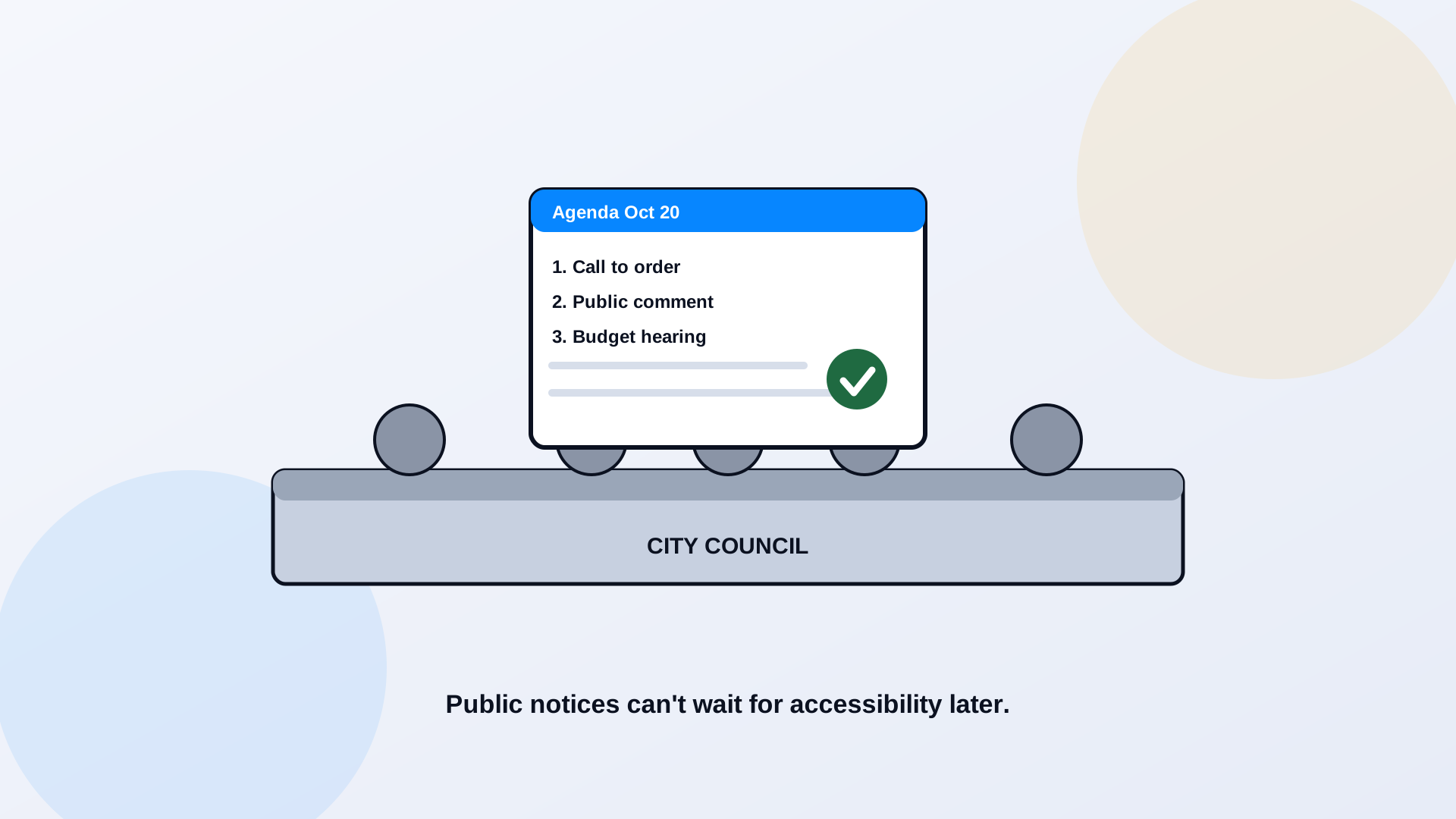
Meeting documents are the hardest accessibility problem most local governments have, and the one they think about least. An agenda goes up the Friday before a Tuesday meeting. A 200-page packet is assembled from a dozen departments' attachments the night before. A public notice has a legal deadline that does not move. These documents are produced under time pressure, changed repeatedly, and needed by the public immediately, which is exactly the recipe for accessibility getting skipped. And because they govern public participation, an inaccessible agenda is not a cosmetic problem. It is a resident shut out of their own government.
Why Meeting PDFs Create Disproportionate Accessibility Risk
Three things make meeting documents uniquely risky. They are recurring, so the problem regenerates every cycle whether or not you fixed last month's. They are time-boxed, so there is rarely room to remediate after assembly and before the public needs the file. And they are stitched together from other people's attachments, scanned exhibits, a consultant's slide deck, a department's spreadsheet, each with its own accessibility state. A remediation backlog is a fixed pile you can chip away at. Meeting documents are a faucet that never turns off. You cannot clean-up your way out of a faucet; you have to fix the plumbing.
The High-Priority Content
- Agendas, because they are how residents know what will be decided and when to speak.
- Board and council packets, the supporting material behind each decision.
- Minutes, the official record of what happened.
- Public notices, often legally required and legally deadlined.
- Exhibits and attachments, the staff reports, maps, and spreadsheets bundled into packets.
- Public-comment materials, so everyone can read what others submitted.
These are classic service-and-participation documents, which means the preexisting-document exception rarely helps here, as we explain in the PDF exception myth. Current meeting materials are in scope.
How to Publish Accessible Materials on a Recurring Deadline
The only workable answer is to move accessibility upstream, into the publishing process, so the document comes out accessible instead of getting fixed afterward. That means a repeatable workflow every clerk and department follows, not a heroic cleanup after each meeting.
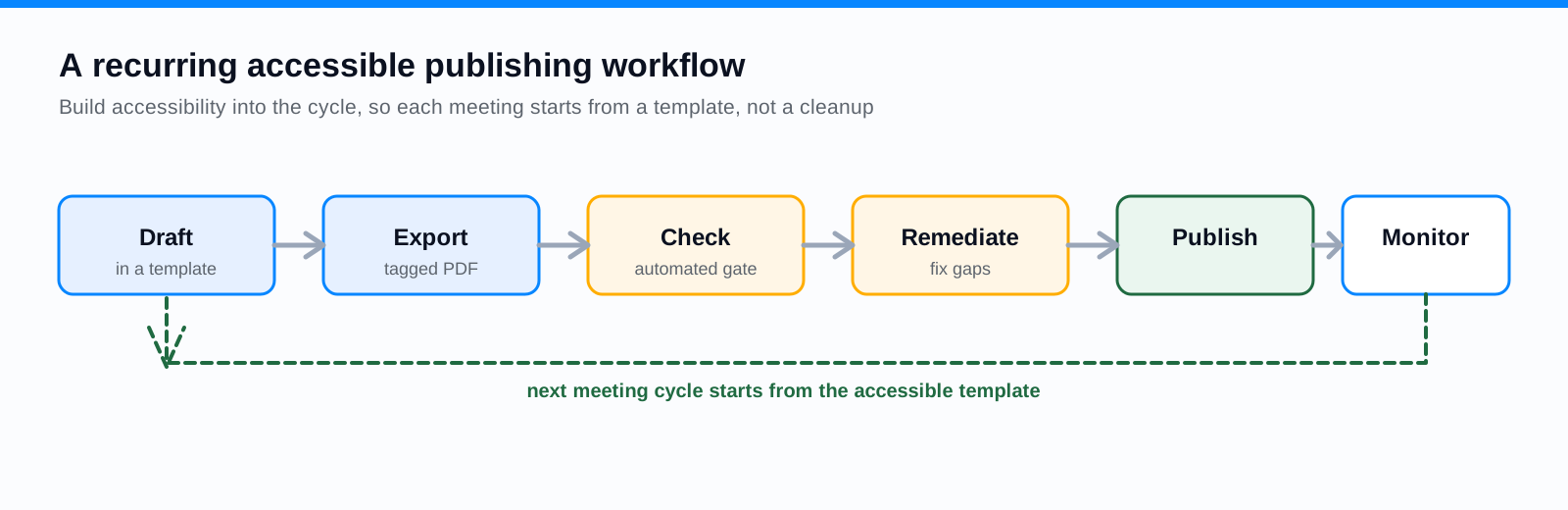
Draft in accessible templates, so headings, lists, and tables are structured from the start. Export to tagged PDF rather than flattening to an image. Run an automated check as a gate before the file posts. Remediate the few gaps the check finds. Publish. Then monitor for changes, because meeting documents get updated. The first time through is work; after that, each cycle starts from an accessible template and the remediation shrinks to almost nothing. This is the publishing-system mindset covered in depth in building an accessible document publishing system.
When HTML Summaries or Web Pages Improve Access
For a lot of meeting content, the most accessible version is a web page, not a file. An agenda published as an HTML page is readable on a phone, navigable by headings, and accessible by default when built well, and it can link out to the heavier supporting documents for anyone who wants them. Minutes and notices work the same way. Publishing the human-readable summary as a page and reserving PDFs for the formal record often serves residents far better than a single giant packet file. Where documents do need to become pages, PDF to Page does the conversion.
Handling Linked Exhibits and Third-Party Attachments
Packets are where accessibility goes to die, because they are assembled from attachments the clerk did not create. The rule is clear that content your contractor or vendor posts on your behalf is still your responsibility, so "a department sent it to us that way" is not an exemption. Set an expectation upstream: attachments arrive accessible, or they get remediated before they go into the packet. Give departments accessible templates and a short checklist so the material is usable before it reaches the clerk. The alternative, remediating a hundred-page packet in the hours before a meeting, is the exact trap this whole approach is designed to avoid.
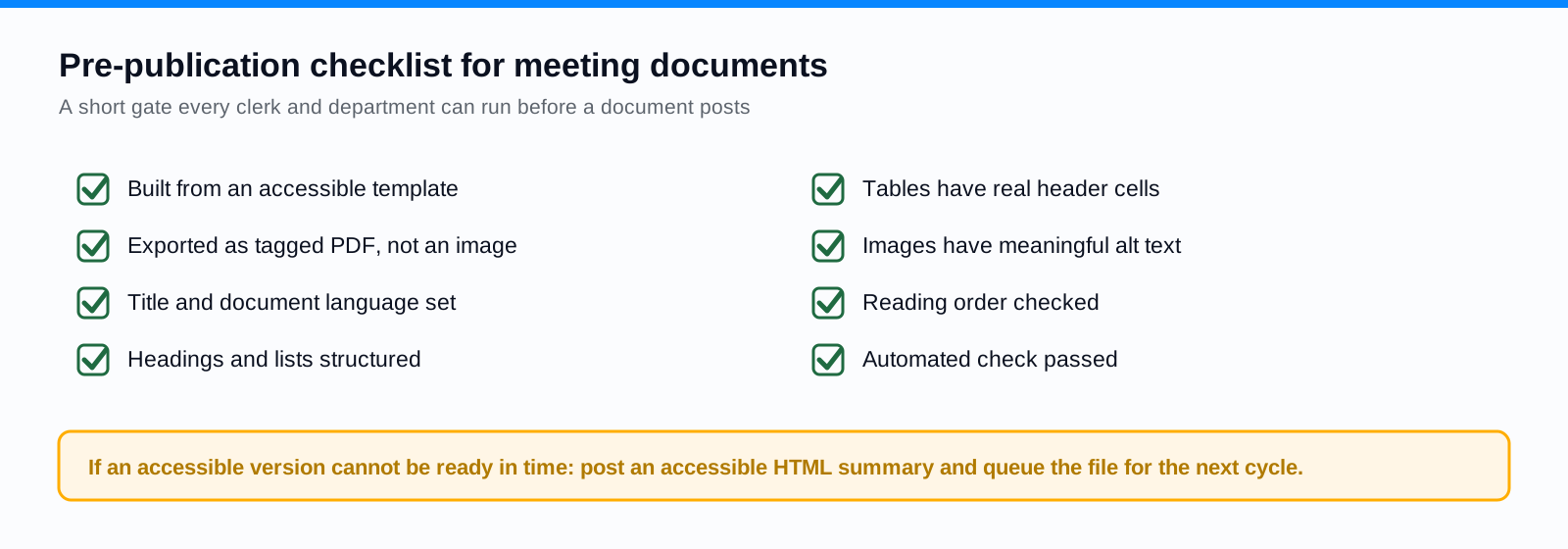
A Pre-Publication Checklist
When an Accessible Version Cannot Be Ready in Time
Sometimes the deadline wins and a fully remediated version is not ready. The answer is not to hide the gap; it is to provide an accessible alternative and a clear path to the content. Post an accessible HTML summary of the agenda or notice alongside the document. Publish the structured parts you do have. Offer a prominent, monitored way to request the information in an accessible format and respond quickly. And flag the file for remediation in the next cycle so the same document is not a problem again next month. An honest, usable alternative beats a perfect version that arrives after the meeting.
Frequently Asked Questions
Are meeting agendas and packets in scope for WCAG 2.1 AA?
Current meeting materials support public participation in a government activity, so they are generally in scope. The preexisting-document exception rarely applies to active agendas, packets, and notices. Treat current meeting documents as covered.
How do we make accessibility work on a tight publishing deadline?
Move the work upstream. Draft in accessible templates, export to tagged PDF, and run an automated check as a publishing gate. Once the templates and workflow exist, each cycle starts from an accessible base and needs little remediation, which is what makes the deadline manageable.
Who is responsible for an inaccessible attachment a department sent us?
You are. Content posted on your behalf, including a department's or vendor's attachment, is your responsibility under the rule. Set the expectation that attachments arrive accessible, and remediate them before they enter the packet.
What if we cannot remediate a document before the meeting?
Provide an accessible alternative, such as an HTML summary, offer a monitored way to request the content in an accessible format, and queue the document for remediation in the next cycle. Do not let a missed deadline become a permanent gap.
Related reading
Publishing agendas and packets on a clock every month? ADA Audit discovers your meeting-document libraries across departments and remediates them, and PDF to Page publishes agendas and notices as accessible web pages alongside the formal record. Book a demo and we will help you stand up a repeatable accessible publishing workflow. Cities and counties can start with the local government overview.
Ready to see it in action?
Book a demo and we'll configure Keyspider on a live sample of your content, within 48 hours.
Book a Demo