

The PDF Exception Myth: Which Government PDFs Still Need Fixing?
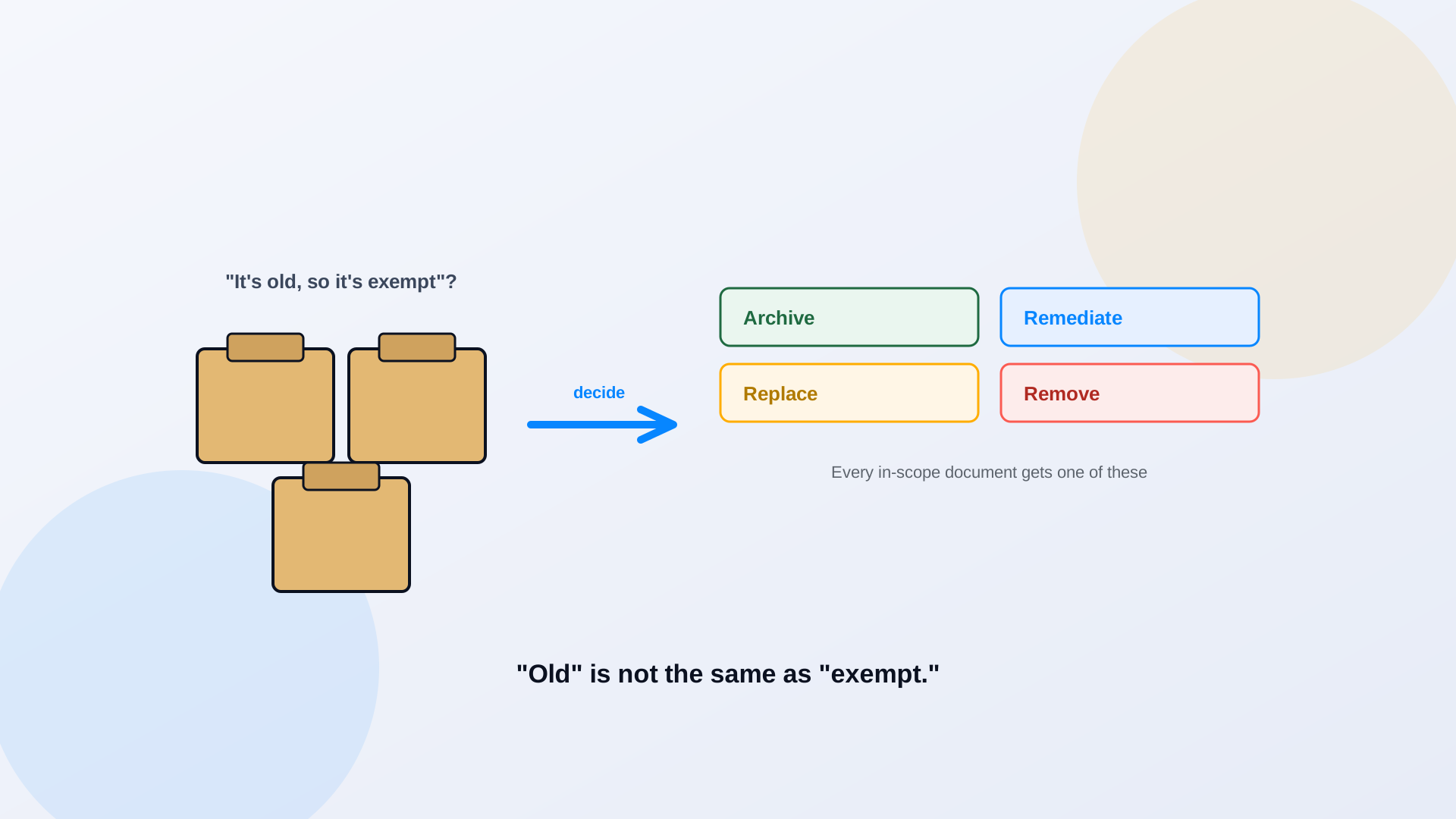
It is the most comforting sentence in every accessibility meeting: "most of those PDFs are old, so they're exempt." It is also, for most agencies, wrong. The ADA Title II rule does include exceptions for certain preexisting documents, but they are narrow, conditional, and easy to fail, and the one agencies lean on hardest has a catch that pulls the important files right back into scope. This piece is about telling the genuinely exempt documents apart from the ones that only feel exempt. It is not legal advice, and the close calls belong with your counsel.
Why "Old PDF" Does Not Automatically Mean "Exempt"
Age alone exempts nothing. The rule's exception is for preexisting conventional electronic documents, word processing files, spreadsheets, presentations, and PDFs posted before your compliance date, but it comes with conditions, and it evaporates the moment a document is still used to apply for, access, or participate in a service. A permit application from 2021 is old and still exempt-sounding, right up until you remember residents download and submit it every week. That use puts it back in scope regardless of its age. The exceptions turn on how a document is used and how it is stored, not on when it was created. For the full list of all five exceptions and the conditions on each, see the ADA deadline breakdown.
The Four-Part Archived-Content Test
Separate from the preexisting-document exception, there is an exception for archived web content. It is real, but the DOJ requires all four of these conditions at once, not whichever one is convenient. Miss a single box and the exception is gone.
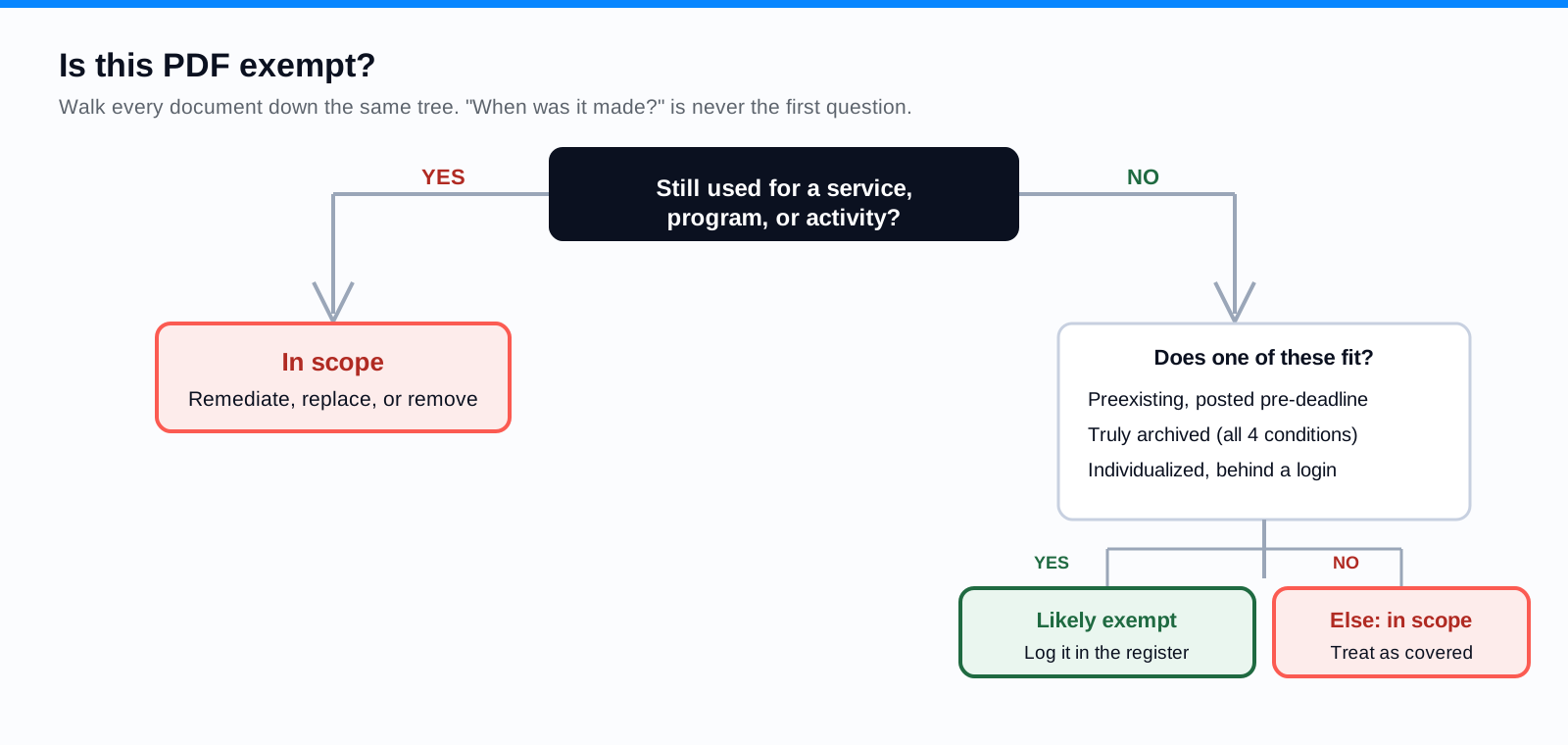
- Created before your compliance date. Content produced after the deadline is never covered by the archive exception.
- Kept only for reference, research, or recordkeeping. Not used to deliver a current service.
- Stored in a specific area designated for archived content. A real archive, not the live site with a folder named 'archive.'
- Unchanged since it was archived. Edit it once and it is no longer archived content.
The common failure is the folder named 'archive' that live service pages still link to, or that someone updates occasionally. That is not archived content. It is live content with a misleading label, and it is in scope.
PDFs Still Used for Public Programs and Services
Here is the heart of it. The documents most likely to be "used to apply for, access, or participate in a service" are exactly the documents residents care about most. A benefit application is a service document. So is a permit form, a tax notice someone acts on, a current meeting agenda, an enrollment packet, a complaint form. The preexisting-document exception is designed to let genuinely dead files rest; it was never going to protect the forms that make your government run. If a resident needs the document to get something from you, assume it is in scope and plan accordingly.
Common Examples, Sorted Honestly
- Permit and license applications: in scope. Residents use them to obtain a service.
- Council and board packets for current meetings: in scope. Public participation depends on them.
- Benefits guides and eligibility documents: in scope when people rely on them to access a program.
- Active policies residents must follow or reference: in scope.
- Application and registration forms: in scope, and usually the highest priority of all.
- A newsletter from 2018 that nothing links to, kept only for the record, in a real archive, never edited: a plausible archive-exception candidate, if all four conditions hold.
Decision: Remediate, Replace, Archive, or Remove
Once you know a document is in scope, you still have four ways to resolve it, and remediation is only one. Remediate the file when it needs to stay a PDF and residents use it as-is. Replace it with accessible HTML when a web page would serve people better, which PDF to Page does by rebuilding the document as structured markup. Archive it properly, meeting all four conditions, when it is genuinely dead but worth keeping. Remove it when it is obsolete, duplicated, or superseded, which shrinks the backlog for free. Many agencies discover that a real inventory lets them retire or consolidate a surprising share of the pile before remediating anything. The step-by-step fix path is in how to remediate a PDF for WCAG 2.1 AA.
Document the Decision and Keep an Exception Register
Whatever you decide, write it down. An exception register is a simple record of every document you treated as exempt: which exception applied, why it qualified, who decided, and when. It does two things. It forces an honest answer at decision time, because "probably fine" looks weaker in a spreadsheet than in a hallway conversation. And it gives you a defensible record if anyone ever asks why a document was not remediated. Pair the register with a recurring inventory so a file that quietly comes back into use, a form reactivated for a new season, gets reclassified instead of hiding behind a stale exemption. The reusable ADA PDF remediation checklist is a good companion for the decision work.
Start with the inventory, not the exemption
The exemption is a conclusion, not a starting point. Inventory the library first, identify which documents residents actually use for services, and treat those as in scope. Then test the leftovers against the exceptions, document the calls, and move on. Agencies that start by assuming exemption tend to exempt the easy files and keep the hard ones.
Frequently Asked Questions
Are all PDFs posted before the deadline exempt?
No. The preexisting-document exception does not apply when a document is still used to apply for, access, or participate in a service. Many older forms and guides stay in scope because residents keep using them. Age is not the deciding factor.
What makes content genuinely archived?
All four conditions at once: created before your compliance date, kept only for reference or recordkeeping, stored in a designated archive area, and unchanged since archiving. Miss any one and the content is not archived under the rule.
Can we just move everything into an archive folder?
No. Renaming a folder does not make its contents archived content. If live pages still link to those files or anyone uses them for a service, they remain in scope. The archive has to be real: separate, reference-only, and static.
Do we need legal review for exemption decisions?
Prioritization and inventory are operational work you can do yourself. Whether a specific document legally qualifies for an exception is a judgment with real consequences, so document your reasoning and involve your ADA coordinator or counsel on the close calls.
Related reading
Not sure which of your documents are genuinely exempt and which just feel that way? ADA Audit inventories your library and flags the active, high-risk documents so the decision for each one is grounded in fact, not hope, and PDF to Page handles the ones you choose to replace rather than remediate. Book a demo and we will walk your library with you. Meeting documents are their own fast-moving case, covered in the hidden PDF risk of agendas and public notices.
Ready to see it in action?
Book a demo and we'll configure Keyspider on a live sample of your content, within 48 hours.
Book a Demo