

The ADA Web Rule Deadline Moved. The Requirement Didn't.
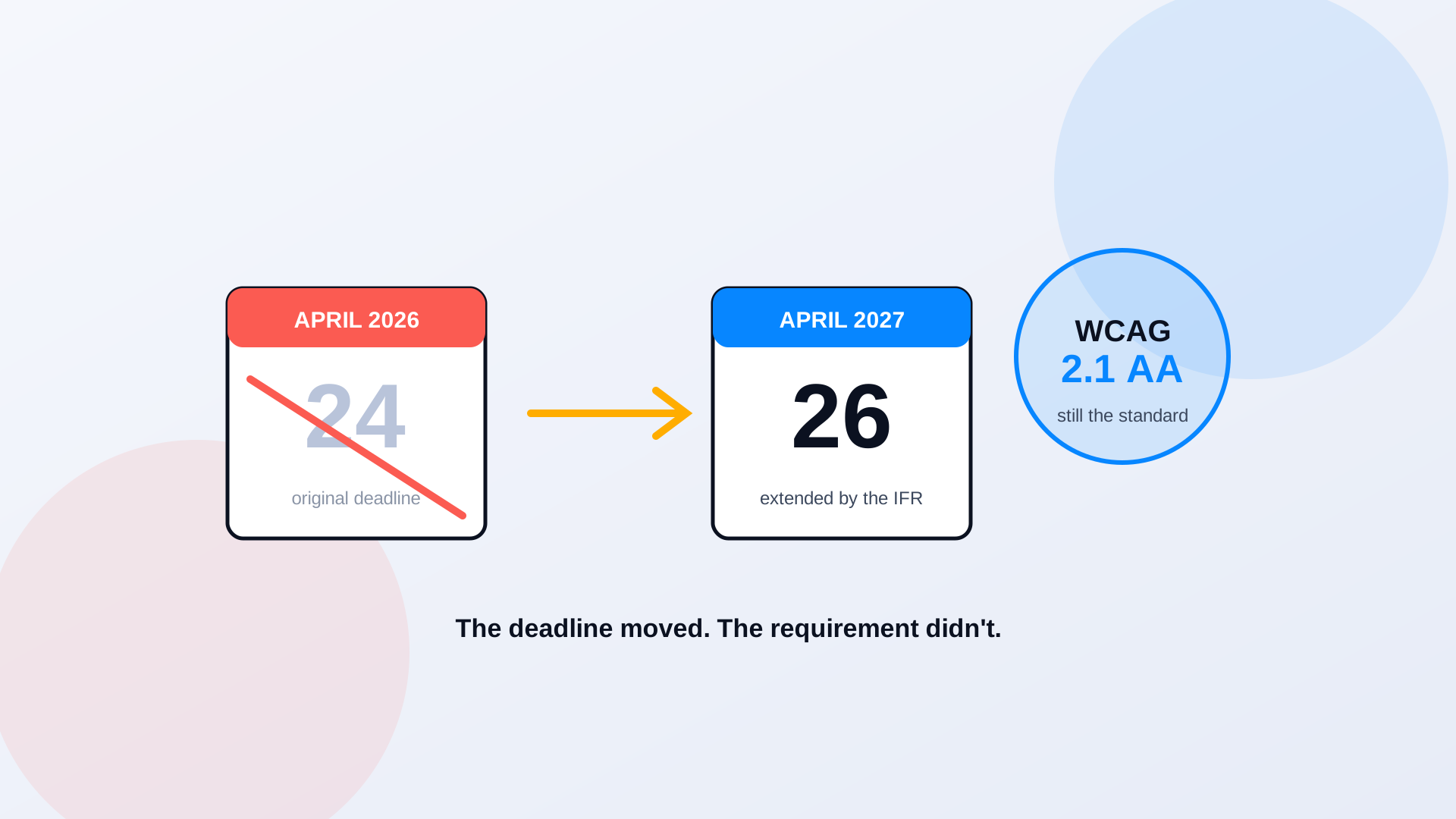
If you run a government website, you got a reprieve this spring. On April 20, 2026, the Department of Justice published an Interim Final Rule that pushed back the compliance deadline for its Title II web accessibility rule. Large entities that were staring down an April 24, 2026 cutoff suddenly had another year. A lot of agencies exhaled. Some quietly shelved the project. That's the mistake. The date moved. Nothing else did. WCAG 2.1 Level AA is still the standard, PDFs are still in scope, and the archive you were dreading is still just as big as it was in March.
Here's exactly what the DOJ did. The original 2024 rule, published April 24, 2024, set a two-tier schedule based on population. The Interim Final Rule kept the two tiers and slid the dates. Governments serving 50,000 people or more now have until April 26, 2027. Everyone smaller, plus special district governments, has until April 26, 2028. That's the whole change. One year of breathing room, granted to a lot of agencies that were nowhere near ready, which tells you something about how far behind the sector actually is.
Apr 26, 2027
compliance deadline for governments serving 50,000 or more people
Apr 26, 2028
deadline for governments under 50,000 and all special district governments
WCAG 2.1 AA
the technical standard, unchanged by the extension
The Standard Is WCAG 2.1 Level AA. That's Not Abstract.
The rule adopts the Web Content Accessibility Guidelines, version 2.1, at conformance Level AA. That's a specific, testable bar, not a vague aspiration. It means captions on your videos. Alt text on every image that carries meaning. Enough color contrast that low-vision users can read the text. Forms your keyboard can complete without a mouse. Page structure a screen reader can move through in a sensible order. When the DOJ says your web content has to conform to WCAG 2.1 AA, it's pointing at a checklist that automated tools can measure and a person with a disability can feel the absence of immediately.
And it covers more than your homepage. The rule reaches all of your web content, which the DOJ defines broadly: text, images, sound, video, and documents. It also covers mobile apps, the ones residents download to pay a bill or check a bus schedule. That documents clause is where most agencies underestimate the work, because a government website isn't mostly pages. It's mostly files. Agendas, budgets, permit forms, benefit applications, board packets, every one of them a PDF, and every one of them web content under this rule.
The Five Exceptions, and Why Four of Them Won't Save You
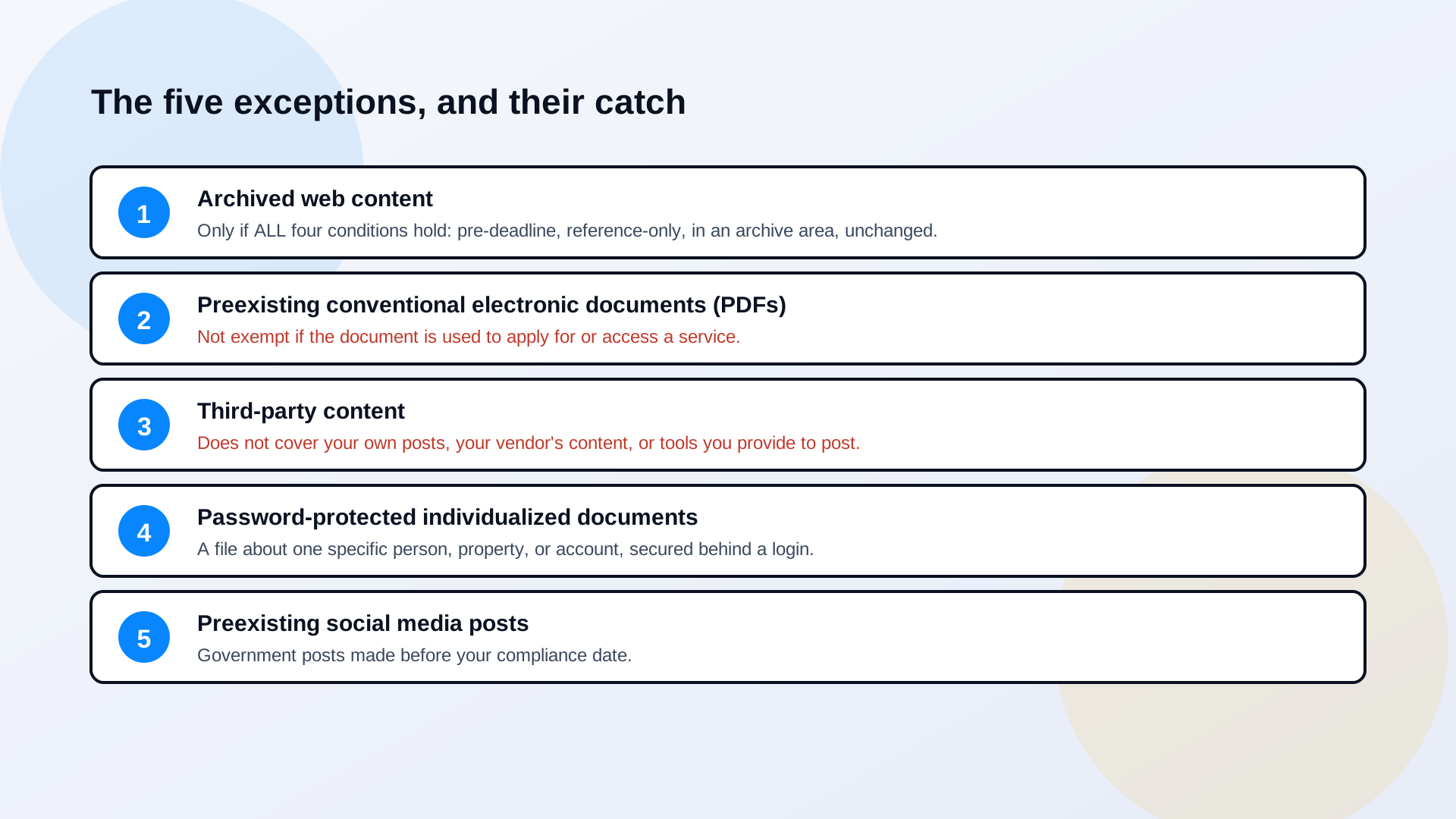
The rule lists five exceptions, and this is where wishful reading does the most damage. Agencies hear "exceptions" and assume the hard parts are carved out. They aren't. Each exception is narrow, fact-specific, and easy to fail. Read them the way a DOJ investigator would, not the way a stretched web team hopes they read.
1. Archived web content, only if all four boxes are checked
Archived content is exempt, but the DOJ requires four conditions at once, not any one of them. The content has to have been created before your compliance date. It has to be kept only for reference, research, or recordkeeping. It has to live in a specific area set aside for archives. And it can't have been changed since it was archived. Miss any single one and the exception evaporates. The common failure: an agency calls a folder "archive" but still links to those documents from live service pages, or edits one occasionally. That's not archived. That's live content in a folder with a misleading name.
2. Preexisting PDFs, unless anyone actually uses them
This is the exception agencies lean on hardest, and it's the one with the biggest hole. Conventional electronic documents, word processing files, presentations, PDFs, spreadsheets, that were posted before your compliance date are exempt. But not if they're being used to apply for, access, or participate in a service, program, or activity. Think about what that carves back in. The building permit application from 2022? Residents still use it, so it's covered. The tax form, the benefit request, the FOIA template, the enrollment packet? All still in use, all still covered, regardless of when they were posted. The exception protects genuinely dead files. The documents that actually matter to a resident are exactly the ones it doesn't protect.
3. Third-party content, but not the third parties you're thinking of
Content posted by outside third parties doesn't have to meet WCAG 2.1 AA. Sounds broad. It isn't. The exception explicitly does not cover content your own agency posts, content posted by your contractor or vendor on your behalf, or the tools and platforms you provide for third parties to post through. So the vendor who runs your permitting portal? Their content is on you. The document your consultant uploaded? On you. The comment system you embedded? The accessibility of that tool is on you. "A third party made it" is a defense that collapses the moment the third party was working for you or through a system you chose.
4. Password-protected individualized documents
This one is real and reasonably clean. A document is exempt when it's a conventional electronic file, it's about one specific person, property, or account, and it's secured behind a password or login. Your water bill as a PDF in a resident's account portal fits. A blanket policy document sitting behind a generic staff login does not, because it isn't about a specific person. The exception is for individualized records, not for anything you happened to put behind a wall.
5. Preexisting social media posts
Social media posts your government made before its compliance date are exempt. That's it. Posts made after the deadline are covered, so the exception is a line in time, not a permanent pass on social content. Keep posting inaccessible images with no alt text after your date and you're generating new violations, not relying on an old exception.
The exception math most agencies get backwards
Run your document library through these exceptions honestly and the exempt pile is usually small. Truly archived, truly dead, truly individualized files, yes. But the forms residents fill out, the vendor-hosted portals, and everything you publish going forward are all in scope. Agencies that budgeted around a big exemption tend to discover, late, that they exempted the easy files and kept the hard ones.
Why the DOJ Wrote This Rule at All
Strip away the regulatory language and the reason is plain. Title II of the ADA requires state and local governments to make their services, programs, and activities accessible to people with disabilities. More of those services moved online every year, and the web versions often weren't usable by the people the law protects. The DOJ's own example is the simplest one: an image with no alt text is invisible to someone using a screen reader, because the screen reader can't read a picture. Now scale that to a benefits page, a permit form, a 50-page board packet.
The stakes the DOJ names are concrete government tasks. Ordering a mail-in ballot. Getting tax information. Things other residents do online in two minutes, that an inaccessible site makes difficult or impossible for someone with a disability. That's the gap the rule is closing, and it's why a screen reader hitting "image image image" on a public document isn't a technicality. It's a person locked out of a service they're entitled to. We walk through that lived experience in what screen readers actually see in government PDFs.
What the Extra Year Is Actually For
The extension is time, not absolution. Use it on the part of the job that doesn't fit in a sprint: the documents. A typical agency doesn't even know how many PDFs it has published, because they're spread across the CMS, department subsites, and old folders nobody's opened in years. Step one isn't remediation. It's counting. Crawl the live site, inventory every linked document, flag the image-only scans that have no text layer at all, and run each file against automated PDF/UA checks. Now you have a real number and a real budget, instead of a guess and a deadline.
Then fix the pipeline, not just the backlog. Hand-tagging PDFs at twenty to thirty minutes each never catches up to a publishing operation that posts fresh agendas every week. PDF Accessibility AI does the repetitive structural work automatically, tagging, reading order, alt-text generation, across the whole archive, and routes the output to a specialist for review rather than rebuilding every file by hand. Where a document can be a web page instead of a file, PDF to Page rebuilds it as structured, accessible HTML and takes it out of the remediation queue entirely. The agencies that will make April 2027 comfortably are the ones treating the next months as build time, not buffer.
When the deadline moved, half the room wanted to pause the project. The accessibility office made the opposite call. We used the year to inventory every document and stand up an automated remediation pipeline, so new files come out compliant instead of getting fixed later. The extension is the only reason we'll actually hit the standard instead of scrambling at it.
digital services director, mid-size county
Read the rule as what it is: a firm requirement with a new date, not a softened one. WCAG 2.1 AA, web content and mobile apps, five narrow exceptions, April 26, 2027 for the big entities and April 26, 2028 for everyone else. The governments that treat the extra year as runway will be fine. The ones that treat it as a reason to stop will be having this same conversation in early 2027, with less time and a bigger archive.
Related reading
Want a real count of how far your document library is from WCAG 2.1 AA before April 2027? Book a demo and we'll crawl your site and show you the number.
Ready to see it in action?
Book a demo and we'll configure Keyspider on a live sample of your content, within 48 hours.
Book a Demo