

Colorado.gov Has 40,100 PDFs. 68% Are Invisible to Screen Readers.
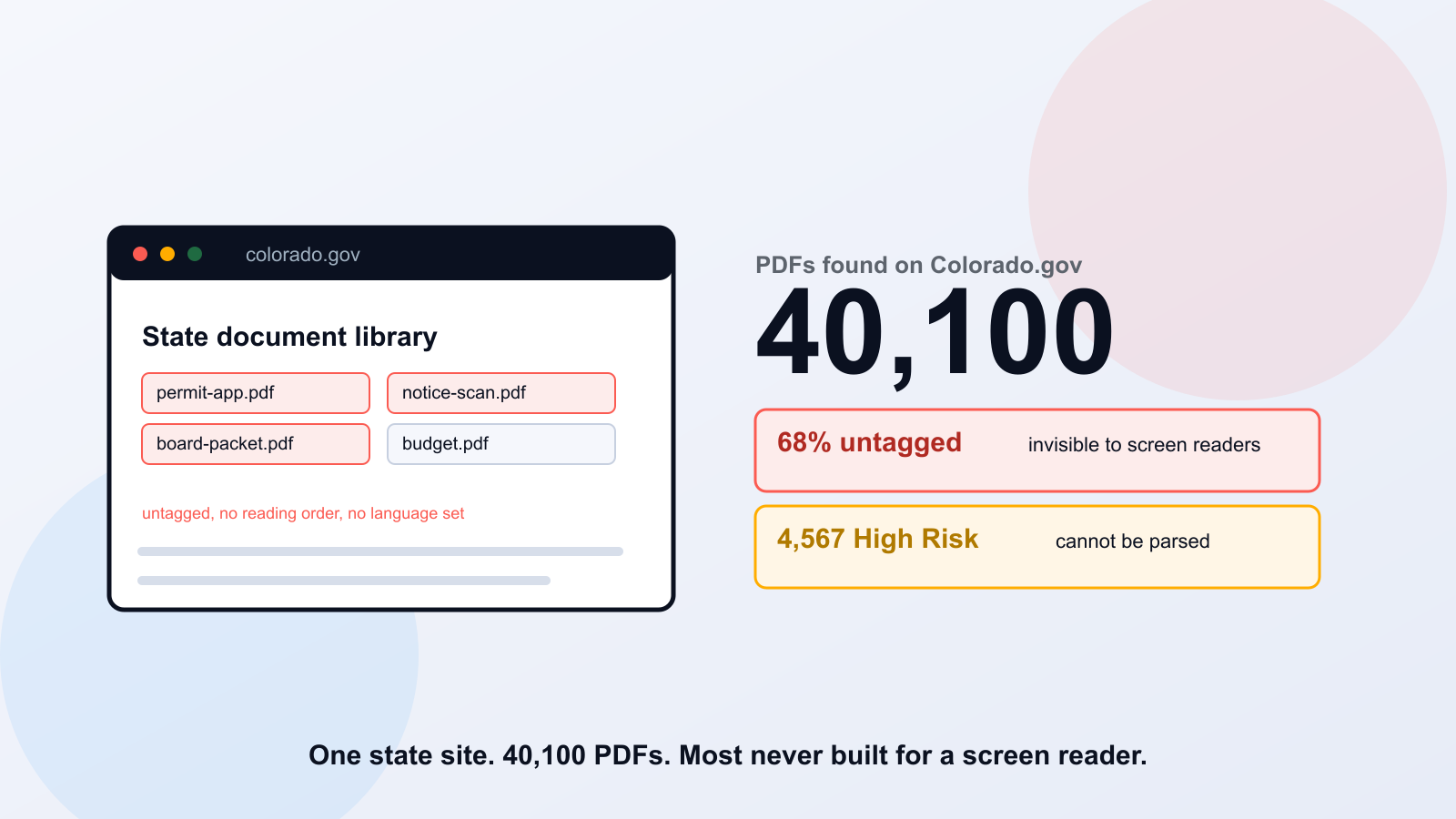
40,100. That's how many PDFs our crawler found on Colorado.gov. Most of them were never built for a screen reader. Open one with a screen reader running and you'll either hear silence where a form should be, or words read back in an order that makes no sense, a table's numbers with no column headers attached, a heading indistinguishable from a paragraph. That's not a rare failure. It's the default state of 68% of what we found.
What We Found
Our crawler indexed 25,344 pages across Colorado.gov and surfaced 40,100 distinct PDF files linked from them. Of those, 58% require ADA Title II review, meaning the document is the kind residents use to get a service, a permit, a benefit, a notice, not an archived file sitting with no active purpose.
40,100
PDFs found across 25,344 crawled pages
58%
require ADA Title II review
68%
have no accessibility tags at all
69%
are missing a language declaration
4,567
scored High Risk; screen readers can't parse them
3,005
are scanned image-only files with no text layer
Two of those numbers need translation, because the terms sound technical and the problem is not. An untagged PDF has no hidden map telling a screen reader what's a heading, what's a paragraph, what's a table versus a string of loose numbers. The document still looks fine on a screen. It's the invisible structure that's missing, and that structure is the only thing a screen reader actually reads. A missing language declaration is simpler: the file never states what language it's written in, so a screen reader may default to the wrong pronunciation rules and read English text as if it were French, or Spanish text as if it were English. Both failures are invisible to a sighted reader opening the file normally. Neither is rare.
The 4,567 That Matter Most
High Risk is our classification for a PDF a screen reader effectively cannot parse at all, not a file that's merely missing a few tags. For a resident using assistive technology, that's the difference between a frustrating document and a wall. These 4,567 files are concentrated in a predictable handful of document types.
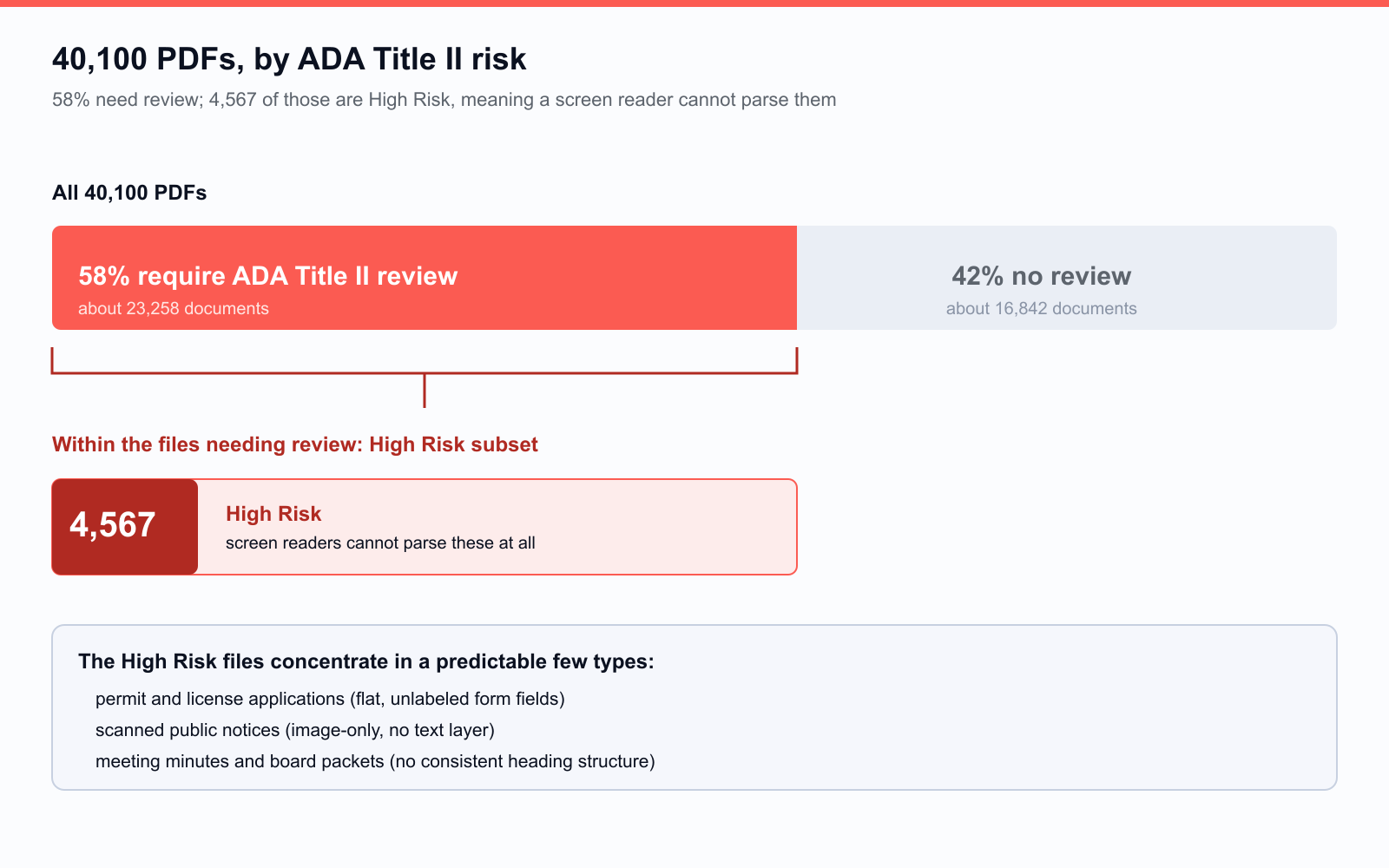
- Permit and license applications, the forms a resident fills out to get a service, often built as flat, unlabeled form fields.
- Scanned public notices, where the file is a photograph of a page with no text layer underneath it at all.
- Meeting minutes and board packets, long documents assembled from multiple source files with no consistent heading structure.
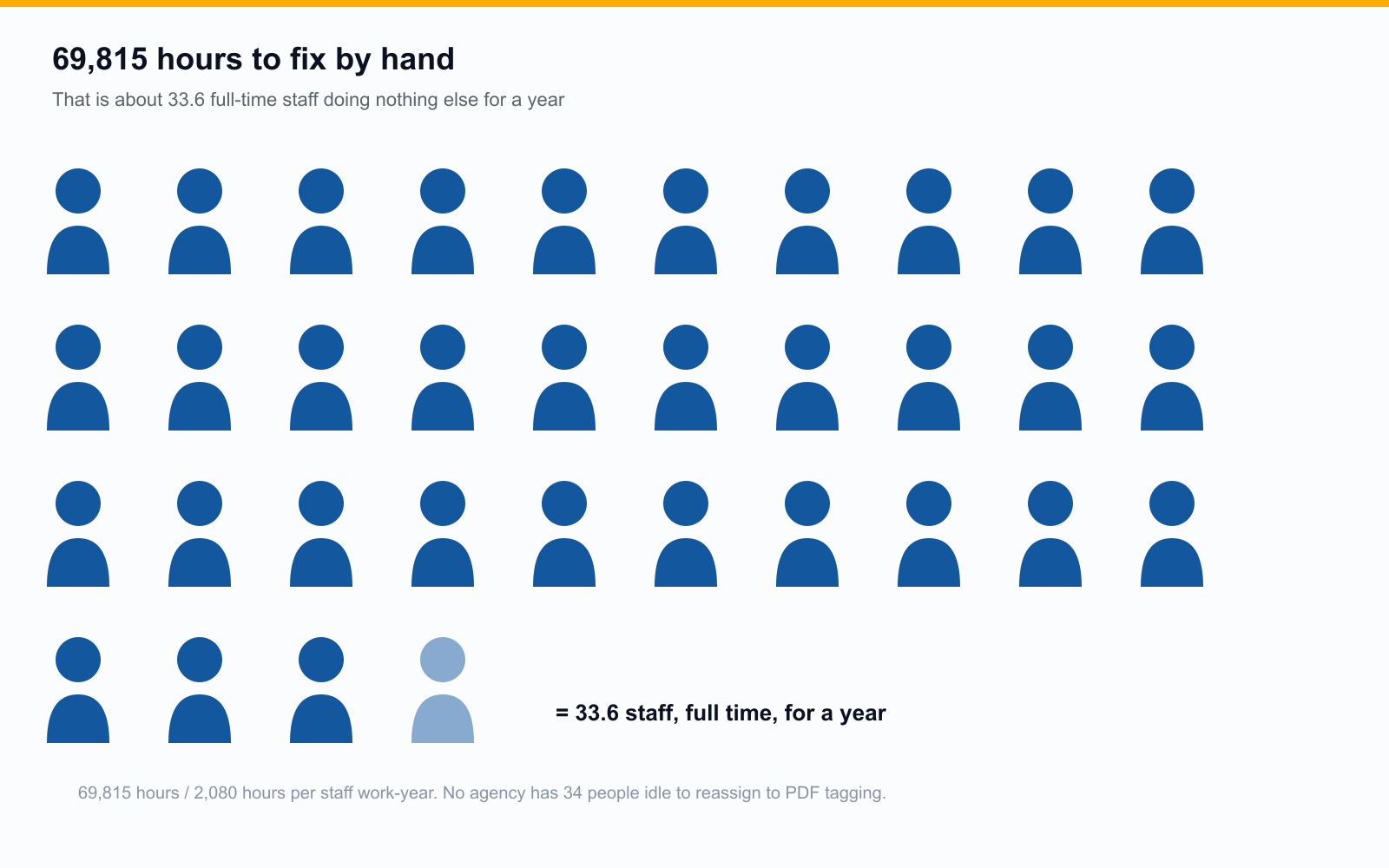
69,815 Hours
That's our estimate for the staff time it would take to manually remediate every PDF in this archive that needs it, tagging structure, fixing reading order, writing alternative text, one document at a time. 69,815 hours divided by 2,080, one person's work-year at 40 hours a week, is about 33.6 full-time staff doing nothing else for a year. No state agency has 34 people sitting idle to reassign to PDF tagging, which is exactly why this kind of backlog survives for years instead of weeks.
That math is why hand-tagging rarely wins on an archive this size. Two paths cut it down. The documents residents actually use, the forms, notices, and guides, usually serve people better as web pages than files, and PDF to Page converts PDF content into native WordPress and Drupal pages validated against WCAG 2.1 and 2.2 AA, with the original kept downloadable. The documents that must stay PDFs get automated tagging plus specialist review through ADA Audit instead of one person tagging at a time. Deciding which document takes which path is the subject of which PDFs should become web pages first.
Colorado Isn't Unusual
We're not singling Colorado out. Colorado.gov is simply the state site we ran this specific audit against and can speak to with real numbers. State websites tend to accumulate PDFs the same way: years of forms, notices, and reports published by dozens of departments, with no single team responsible for accessibility across all of it. We'd expect most state government sites of comparable size to show a similar pattern once crawled. We're not publishing numbers for other states here, because we haven't run and verified that specific audit yet.
Your State's Results May Already Be Waiting
Most state .gov sites are already crawled in our system. If your state has been indexed, you can view the results without submitting anything, no account, no form, no credit card. The free audit crawls up to 100,000 pages at a depth of 5, finds every linked PDF, scores ADA Title II risk per document, classifies document type, and returns a report in minutes, not weeks.
Frequently Asked Questions
What is an untagged PDF?
A PDF with no accessibility tag structure embedded in the file. Tags tell assistive technology what each element is, a heading, a paragraph, a table, a list, and in what order to read them. Without tags, a screen reader has no reliable way to interpret the document, even if the visible text looks completely normal on screen.
Does ADA Title II cover old PDFs?
Often, yes. There's a conditional exception for certain preexisting documents, but it doesn't apply if the file is still used to apply for, access, or participate in a service. A five-year-old permit form residents still download today stays in scope regardless of its age. Treat document age as one factor, not an automatic exemption, and loop in counsel on close calls.
How long does the free audit take?
Most state .gov sites are already indexed, so you can view existing results immediately. For a site we haven't crawled yet, a scan of up to 100,000 pages at depth 5 typically returns a full report within minutes of being submitted.
Related reading
See your state's results free. Check your state's PDF accessibility score.
Ready to see it in action?
Book a demo and we'll configure Keyspider on a live sample of your content, within 48 hours.
Book a Demo