

Which Government PDFs Should Become Web Pages First?
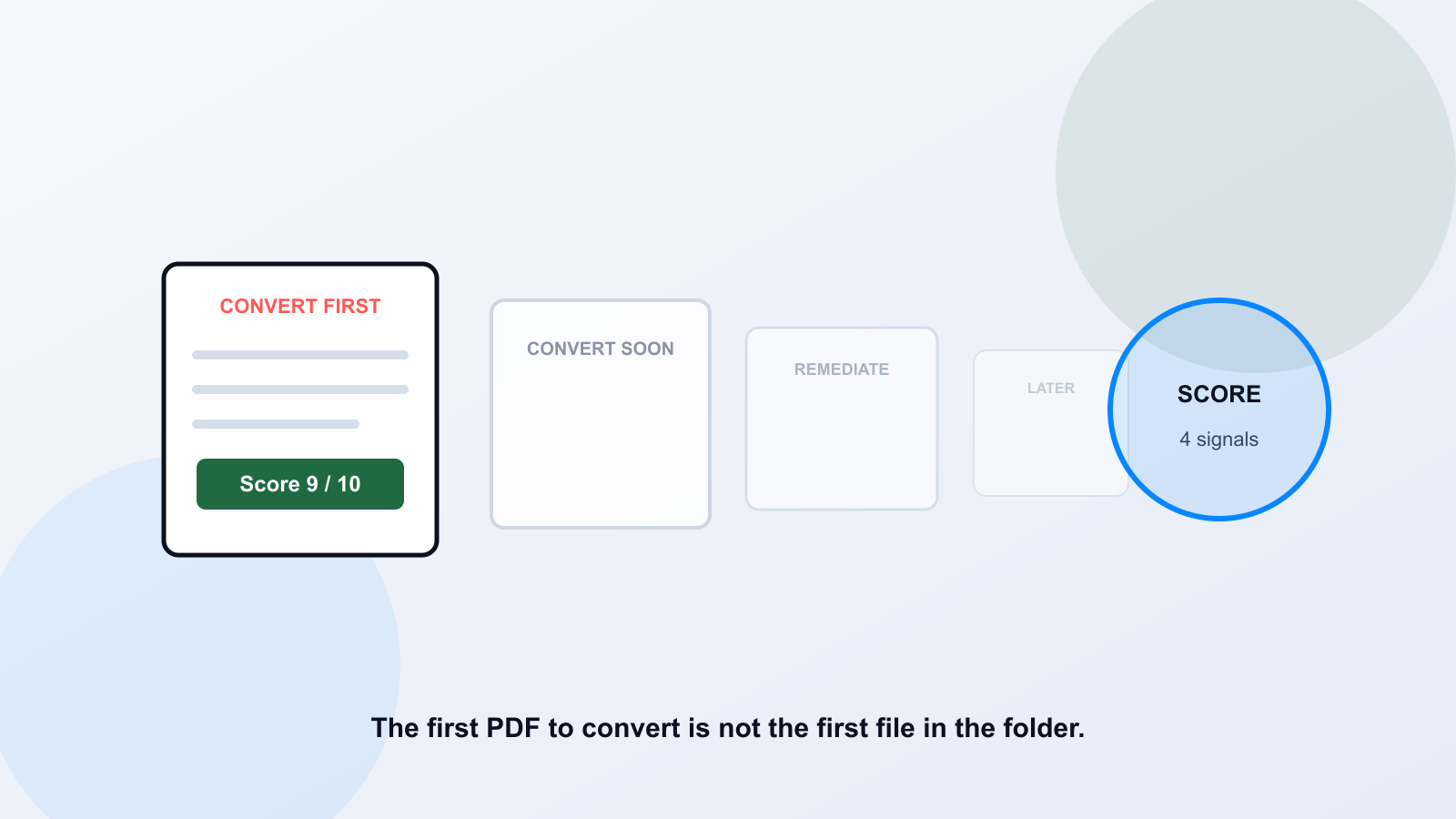
A PDF-to-web migration succeeds or wastes a quarter based on one decision: which document you convert first. Convert a high-traffic permit form that residents use every week, and a small team sees the payoff within days. Convert a five-year-old internal memo nobody has opened since it was filed, and the same amount of work produces nothing anyone notices. Most agencies don't fail at conversion. They fail at sequencing.
Why Order Matters More Than Speed
A library of thousands of PDFs can't be converted all at once, and it shouldn't be. The honest constraint is staff time, and staff time spent on the wrong document is gone regardless of how well that document turned out. The teams that make visible progress aren't the ones converting fastest. They're the ones who picked a short list of documents where conversion actually changes something for a resident, finished that list well, and used what they learned to size the next batch.
Four Signals That Predict Which PDFs Deserve Conversion First
Score each candidate document against these four signals rather than relying on a gut feeling about which files matter.
- Traffic. Pull page view or download counts where your analytics track them. A document nobody opens doesn't earn priority regardless of how broken it is.
- Service criticality. Does a resident need this file to apply for, access, or participate in a service? Permit applications and benefit forms outrank general reference material.
- Update frequency. A document re-uploaded every few months because a fee or date changed is a strong conversion candidate; a page edits in seconds where a PDF needs a full re-export.
- Format fit. Content that's read on a phone, scrolled through, or searched benefits from HTML. A document that must preserve an exact printed or signed layout does not.
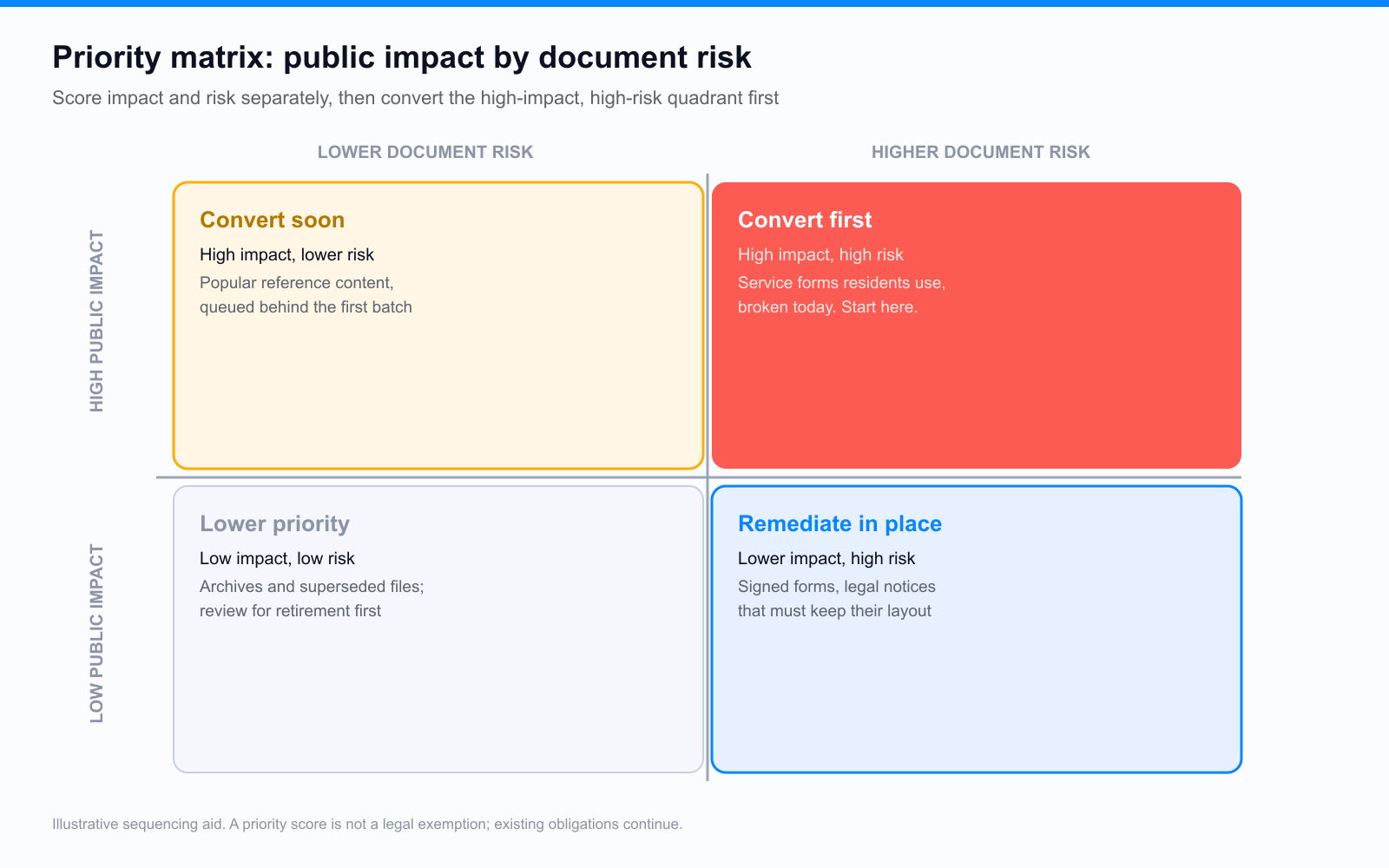
- Convert first: high-traffic documents residents need for a service, with real accessibility risk today.
- Convert soon: high-traffic documents with lower immediate risk, queued behind the first batch.
- Remediate in place: lower-traffic documents that still carry real legal exposure, often signed forms or legal notices.
- Lower priority: low-traffic archives and superseded files, reviewed for retirement or genuine archive status before anything else.
Signals That Say Remediate in Place, Not Convert
Conversion isn't the right answer for every document, and treating it as a default wastes effort just as badly as converting nothing. A document that must preserve a fixed, printable, or signable layout, a recorded ordinance, a notarized form, a document filed as evidence, stays a PDF. The job there is tagging and reading order, not a rebuild. We cover that decision in more depth, including the DOJ rule's narrow exception conditions, in PDF to HTML for ADA compliance.
Classify the Library Before Converting Anything
Scoring four signals by hand across thousands of files isn't realistic, and it doesn't need to be manual. An audit that classifies every PDF by document type, scores accessibility risk, and surfaces crawl-based traffic signals, like ADA Audit, gives you the raw material to build this queue in an afternoon instead of a quarter. Classification first, conversion second. Guessing which documents matter from memory is how teams end up converting the easy files instead of the right ones.
Sequence the Work in Reviewed Batches
Pilot a batch of 10 to 25 documents from the convert-first bucket, and track the actual hours per document, not an estimate. Simple two-page forms and dense, image-heavy reports take very different amounts of time, and your pilot is what tells you the real ratio for your own content. Use that measured number to size and schedule the remaining batches. For the broader operating cadence around a large remediation program, including staffing and milestone planning, see 10,000 PDFs, one deadline; this scoring framework is what decides which documents go into that program as conversions rather than in-place fixes.
What a Good First Quarter Looks Like
A realistic target for a first quarter is a finished, well-tested conversion of the top 25 to 50 documents by score, not a dent in the full archive. That's a small enough number to execute carefully, a WordPress or Drupal rebuild with real headings, tested tables, and verified forms, which PDF to Page produces as native CMS content validated against WCAG 2.1 and 2.2 AA before publishing, and a large enough number to measurably change what residents experience on the documents they use most. Expansion past that point should run on the pilot's real numbers, not the original guess.
Frequently Asked Questions
Should every PDF eventually become a web page?
No. Documents that must preserve a fixed, printable, or signable layout are better served by remediation in place. Conversion is the right tool for resident-facing information that's read online, updated often, or used on a phone, not for every file in the archive.
How do we score traffic if our analytics don't track PDF downloads?
An accessibility audit that crawls your site can surface which pages link to which PDFs and how deep those links sit in your navigation, which is a reasonable proxy when download analytics aren't available. Depth and link frequency from high-traffic pages are a practical substitute for direct view counts.
What if two documents score the same?
Break the tie on service criticality first. A document that gates access to a benefit or permit should move ahead of one that's merely informational, even at equal traffic, because the cost of a resident getting stuck is higher than the cost of a slower read.
Related reading
Score your own backlog before picking a pilot batch. Run a free PDF audit and get every document classified and risk-scored in minutes.
Ready to see it in action?
Book a demo and we'll configure Keyspider on a live sample of your content, within 48 hours.
Book a Demo