

PDF to HTML for ADA Compliance: What Conversion Does Not Fix
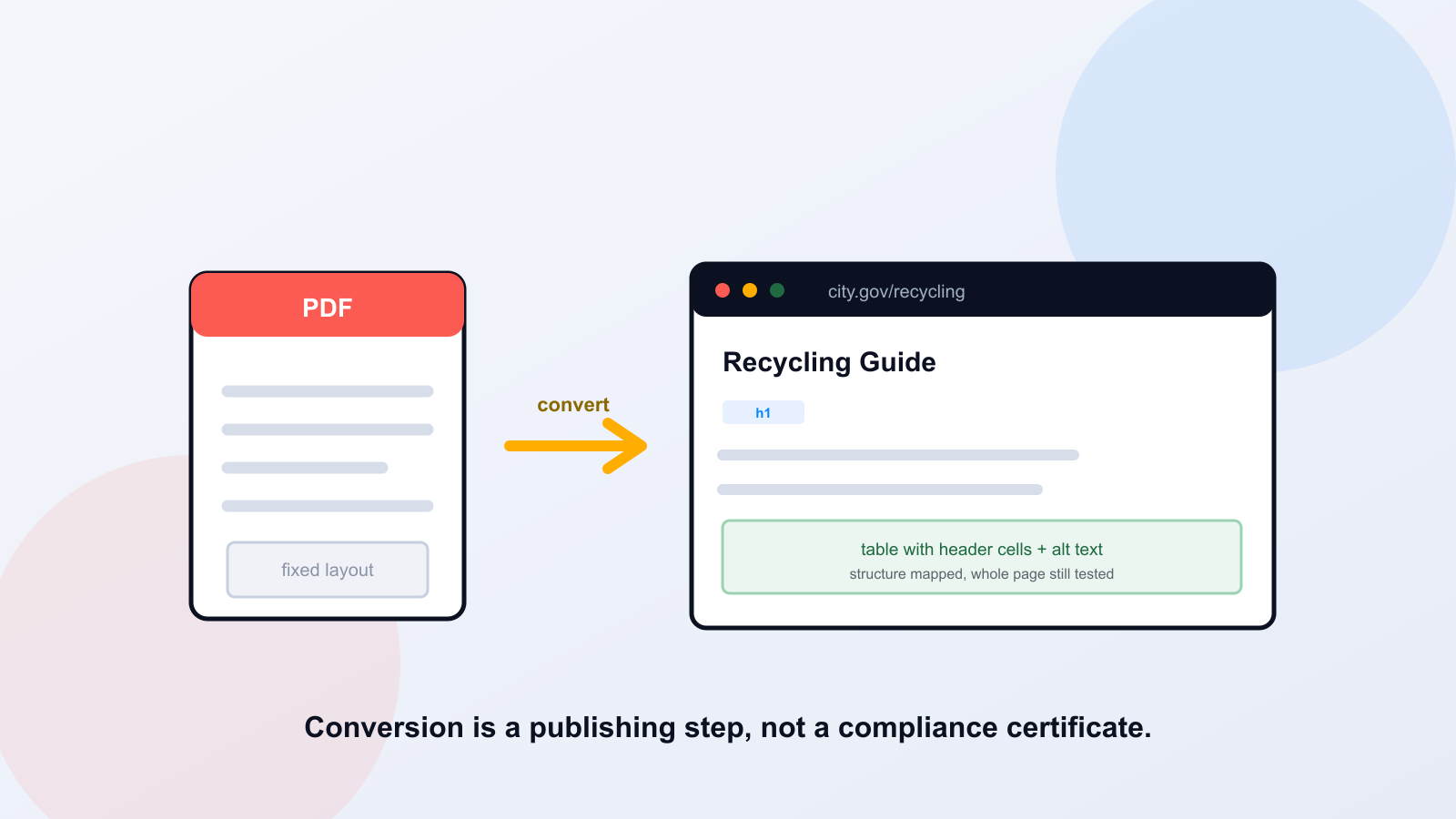
Converting a PDF to HTML is a publishing step, not a compliance certificate. A tool can turn a file into a web page in seconds, and that page can still fail keyboard users, scramble a table, or carry an image with no description. HTML is usually the better format for resident-facing information, but genuine WCAG 2.1 Level AA conformance depends on the whole page and the whole task, not the imported article body. This guide covers when to convert, what conversion misses, and how to verify the result.
Key takeaways
Conversion moves content; it does not guarantee accessibility. WCAG 2.1 AA conformance applies to the full page, including theme, navigation, and embedded tools. An accessible HTML version does not automatically make a retained inaccessible PDF acceptable. And no automated step, conversion included, establishes legal compliance.
When HTML Is the Better Primary Format, and When a PDF Remains Necessary
For most resident-facing information, a web page beats a file. HTML is responsive on a phone, searchable by your site, navigable by headings, and accessible by default when it is built well. A guide to recycling pickup, an eligibility explainer, a how-to for a permit: all of these serve people better as pages. A PDF still earns its place when the document must preserve a fixed legal layout, carry a signature, or be printed exactly as designed, a recorded ordinance, a formal notice, a form someone signs and mails. The question is not PDF versus HTML in the abstract. It is which format serves the resident task behind the document.
Conversion Versus Remediation Versus Verified Conformance
Three different things get blurred together. Conversion changes the format, PDF to HTML. Remediation fixes an existing file in place, adding tags and reading order to a PDF. Verified conformance is the testing that confirms the result actually meets the WCAG 2.1 Level AA success criteria, which include the applicable Level A criteria as well. Conversion and remediation are production steps. Conformance is a verification step, and it is the one teams skip. A converted page that no one tested is a hope, not a result. The Web Content Accessibility Guidelines define conformance in terms of complete pages and full processes, which is worth reading directly in WCAG 2.1.
Map PDF Elements to Semantic HTML
The heart of a good conversion is semantic mapping: every visual element in the PDF becomes the HTML element that carries the same meaning. A heading that is just large bold text in the PDF becomes a real heading element so assistive technology can navigate to it. A visual list becomes a list. A data table becomes a table with header cells associated to their data, not a grid of positioned text. Links get descriptive text. Images that carry meaning get alternatives; decorative ones are hidden from assistive technology. Reading order is set to follow the logical flow, not the order elements happen to sit on the page. Doing this mapping by hand for every document is slow, which is where PDF to Page helps: it converts PDF content into native WordPress and Drupal markup automatically, rebuilding those headings, lists, and tables, and you then verify the result across the whole page.
Semantic mapping, before and after
Before (visual only): a line of 18-point bold text reading "Eligibility," followed by indented lines with bullet characters typed in front. After (semantic): the heading becomes <h2>Eligibility</h2> and the bullets become a real <ul> with <li> items. The page looks the same; a screen reader can now jump to the heading and count the list. A snippet like this proves the mapping, not the whole page's conformance.
Why the Theme, Navigation, Forms, and Embedded Tools Are Part of the Test
Conversion projects quietly fail here more often than anywhere else. You can produce a flawless article body and still ship an inaccessible page, because WCAG conformance covers the whole page: the header, the footer, the main navigation, the cookie or consent banner, the search box, the theme's color contrast, and any embedded map, video, or third-party widget. A keyboard trap in the consent dialog fails the page no matter how clean the converted content is. Test the rendered page in your actual CMS theme, with the plugins and modules you really run, not the article markup in isolation.
Can an HTML Page Replace an Inaccessible PDF? The Legal Limits
Carefully. Publishing an accessible HTML version is good practice, but it does not automatically make a retained inaccessible PDF acceptable. Under the Department of Justice rule, reliance on a conforming alternate version is restricted to limited circumstances involving technical or legal limitations on making the primary content accessible. If you keep the old PDF available for download, that file has its own obligations: review whether it is still used to access a service, whether any exception genuinely applies, and how the retained file should be treated. Note too that the preexisting-document exception and the archived-content exception are different, and a document still used to apply for or participate in a service does not get the preexisting-document exception just because it is old. The authoritative summary is the DOJ web rule fact sheet; treat these as compliance dates and conditions to confirm with counsel, not legal advice from a blog.
Apr 26, 2027
WCAG 2.1 AA date for state/local entities with populations of 50,000 or more (April 2026 interim final rule)
Apr 26, 2028
date for smaller entities and special district governments; recheck before publication
Whole page
the scope of conformance, not just the imported article body
A Worked Example: A Resident Recycling Guide
Here is an illustrative, fictional example, not a customer result. A city publishes "Curbside Recycling Guide.pdf," a two-column scan with a collection-day table and a photo of accepted items. A resident on a phone pinches and zooms through sideways text; a screen reader user hears the two columns interleaved and the table read as a stream of unlabeled words. Converted well, it becomes a page with a heading for each section, a proper collection-day table whose header row is associated with the dates, alt text on the photo describing the accepted items, and a plain-language summary at the top. The resident now completes the real task, finding their pickup day, in seconds, on any device.
Decide: Remediate, Replace, Provide Both, or Review an Exception
Not every document takes the same path. Use a simple decision for each one, and keep the same information in text, not only in the diagram below.
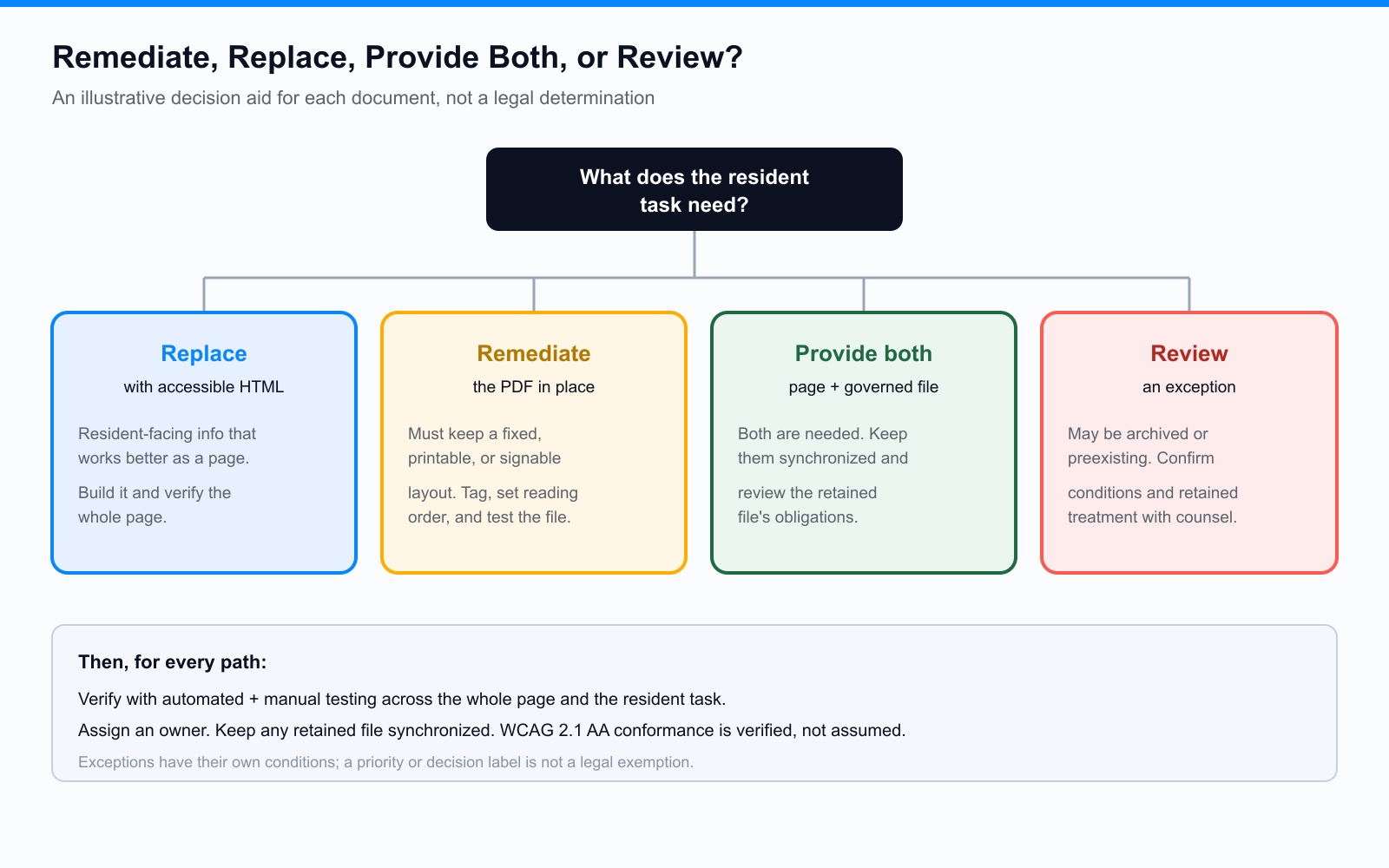
- Replace with HTML: resident-facing information that works better as a page. Build it accessibly and verify the whole page.
- Remediate the PDF: documents that must keep a fixed, printable, or signable layout. Tag, set reading order, and test the file.
- Provide both with governance: when a page and a downloadable file are both needed. Keep them synchronized and review the retained file's obligations.
- Review an exception: content that may be genuinely archived or preexisting. Confirm the conditions and retained-file treatment with counsel before relying on it.
Publish, Verify, Assign an Owner, and Keep Versions Synchronized
Finish the job after the page goes live. Verify with a combination of automated checks and manual testing: keyboard navigation, reading order, zoom and reflow, and a screen reader pass across the full page and the resident task, not just the article. Record the tools, browsers, assistive technology, scope, reviewer, and date, along with any unresolved issues. Assign an owner so the page stays correct as content changes, and if you kept the PDF, keep the two versions in sync so a fee or deadline updated in one is updated in the other. A converted page without an owner drifts out of date, and an out-of-date page is its own barrier. This is the workflow where PDF to Page fits: it converts PDF content into native WordPress and Drupal content, rebuilding headings, lists, tables, and images and validating against WCAG 2.1 and 2.2 AA before publishing, while the original file stays available for download. It is a conversion and validation step, not a guarantee of full-page conformance, and the whole-page testing above still applies.
Questions Readers Ask
Does converting a PDF to HTML make it ADA compliant?
No. Conversion changes the format and can improve accessibility, but WCAG 2.1 AA conformance depends on the whole rendered page and task, and compliance is a legal determination, not a result an automated step produces. Convert, then verify with automated and manual testing.
If we publish an accessible page, can we leave the old PDF up?
Not automatically. An accessible HTML version does not by itself make a retained inaccessible PDF acceptable; reliance on a conforming alternate version is limited under the DOJ rule. Review the retained file's own obligations and any applicable exception, and involve counsel on close calls.
Is an old PDF automatically exempt?
No. The preexisting-document exception does not apply to documents still used to apply for, access, or participate in a service, regardless of age, and it is distinct from the archived-content exception. Confirm the specific conditions rather than assuming age equals exemption.
Which WCAG version applies?
The DOJ rule's technical standard is WCAG 2.1 Level AA, which includes the applicable Level A criteria. Later WCAG 2.2 criteria can be good practice, but do not treat 2.2-only requirements as part of the 2.1 AA obligation.
Related reading
Pick one high-use PDF and plan its move to an accessible web page this quarter. If you want a second set of eyes on the conversion and the whole-page testing, book a working session and we will walk through one of your documents end to end.
Ready to see it in action?
Book a demo and we'll configure Keyspider on a live sample of your content, within 48 hours.
Book a Demo