

The ADA Deadline Moved. Are Your Government PDFs Accessible?
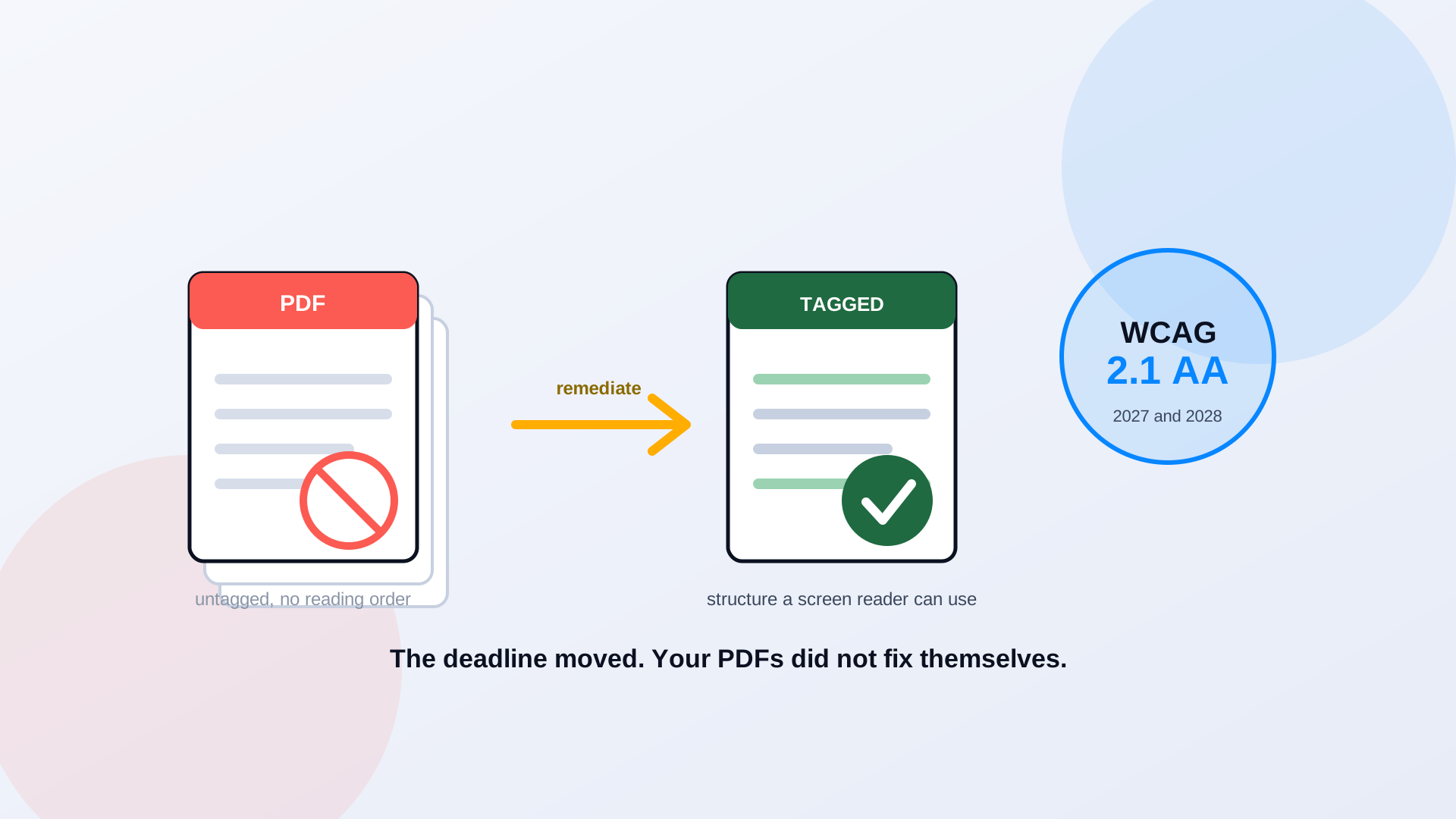
The Department of Justice gave government web teams a year back this spring. In April 2026 it pushed the Title II web accessibility compliance dates out by twelve months, and a lot of agencies treated that as permission to slow down. Here is the problem the extra year did nothing to solve: the documents. Your website probably passed its last accessibility scan on the page templates and failed quietly on the thousands of PDFs behind them. Agendas, budgets, permit forms, benefit applications. The deadline moved. Those files did not get any more usable while you waited.
What Changed in the Title II Timeline, and What Did Not
The short version: the standard is the same, the clock is a year longer. The 2024 rule set a two-tier schedule by population. The Interim Final Rule published April 20, 2026 kept both tiers and slid the dates. Governments serving 50,000 people or more now have until April 26, 2027. Smaller governments and all special district governments have until April 26, 2028. The technical bar did not change at all. It is still the Web Content Accessibility Guidelines version 2.1 at Level AA. We covered the rule and its narrow exceptions in detail in the ADA web rule deadline breakdown, so this piece stays on the part most teams underestimate: the PDF library.
Apr 26, 2027
deadline for governments serving 50,000 people or more
Apr 26, 2028
deadline for smaller governments and special districts
WCAG 2.1 AA
the technical standard, unchanged by the extension
What Title II Actually Requires of a Government Website
Title II of the ADA requires state and local governments to make their services, programs, and activities accessible to people with disabilities. As those services moved online, the DOJ wrote WCAG 2.1 AA into the rule as the measurable web standard. It is worth being precise here, because the two are not the same thing. WCAG 2.1 AA is the set of testable success criteria. Title II is the legal obligation that now points at it. Meeting the success criteria is how you demonstrate your digital services are usable; it is not a certificate the law hands out.
The rule also defines web content broadly: text, images, audio, video, and documents, plus the mobile apps residents use to pay a bill or check a schedule. That documents clause is the quiet one. A government website is not mostly pages. It is mostly files, and every one of those files is web content under this rule.
The PDF Problem Most Agencies Underestimate
PDFs are everywhere on government sites for good reasons. They preserve layout, they print cleanly, and they are how legal and financial documents have always been published. The trouble is that a PDF exported from a word processor or a scanner usually carries no accessibility structure at all. No tags that tell assistive technology what is a heading and what is a paragraph. No defined reading order. No alternative text on the chart that holds the actual budget numbers. A sighted reader sees a clean document. A resident using a screen reader hears a jumble, or nothing.
Think about which documents this hits hardest. The permit application. The benefits form. The public meeting agenda and the 60-page board packet attached to it. The tax notice. These are the files residents actually need, and they are exactly the ones most likely to be an untagged export or an image-only scan. We walk through what that failure sounds like in what screen readers actually see in government PDFs, and why a site can pass a page-level audit while its document library quietly fails in your website passed its audit, your PDFs did not.
Does Every PDF Need to Be Remediated?
No, and anyone who tells you otherwise is overselling. The rule includes a conditional exception for certain preexisting conventional electronic documents, word processing files, spreadsheets, presentations, and PDFs that were posted before your compliance date. But the exception has a catch that swallows most of the files that matter: it does not apply if the document is still being used to apply for, access, or participate in a service, program, or activity. The 2022 permit form residents still download? In scope. The archived meeting minutes nobody acts on? Likely exempt.
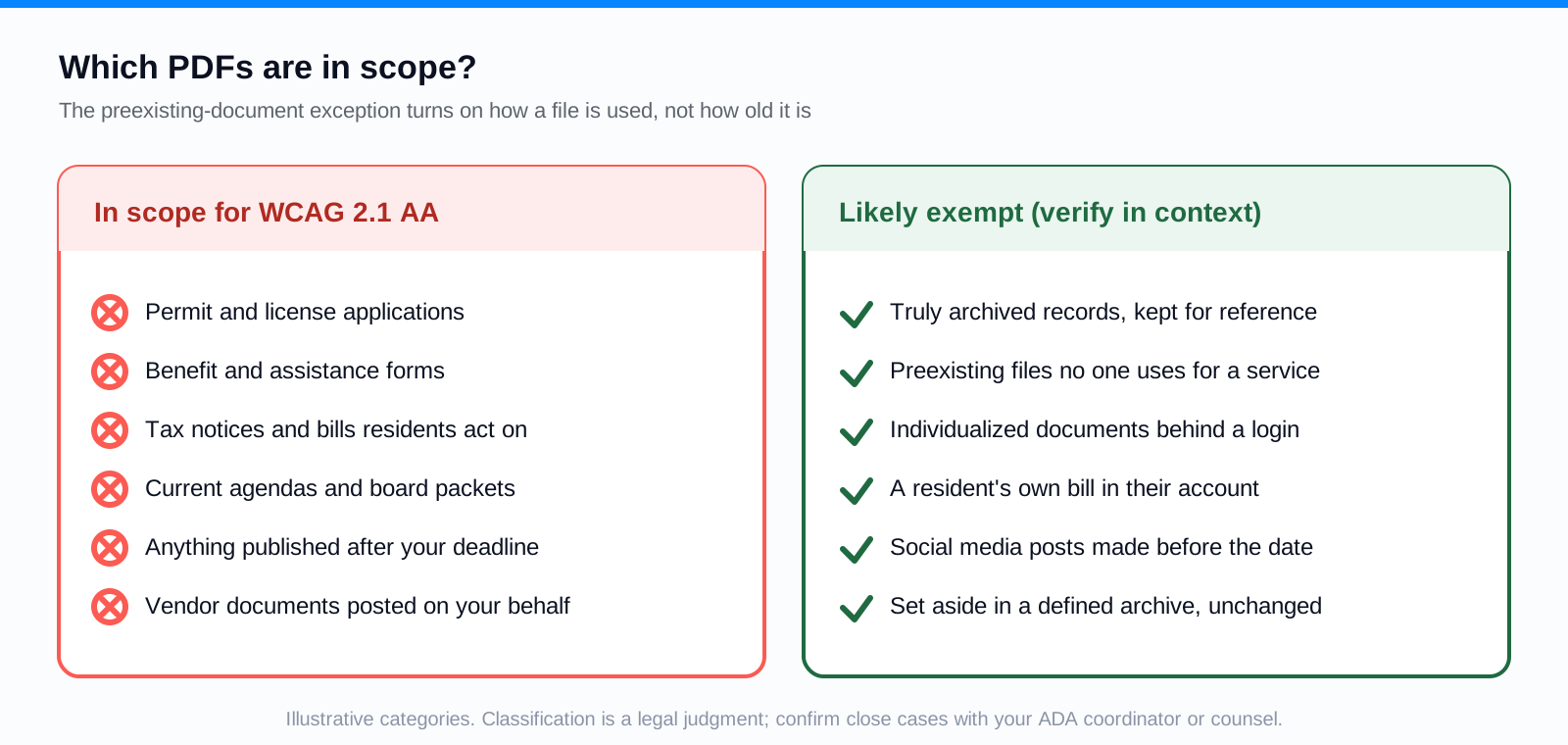
The practical takeaway: do not treat the exception as a reason to skip the work, and do not treat it as a self-service legal opinion either. Classification is a judgment call with real consequences, so evaluate documents in context and loop in your counsel or ADA coordinator on the close cases. If you want the full read on all five exceptions and the conditions attached to each, the deadline breakdown lays them out.
Five Steps to Start Improving PDF Accessibility
You cannot remediate what you have not counted. Most agencies do not know how many PDFs they have published, because the files are spread across the CMS, department subsites, and folders nobody has opened in years. Start with the count, then work in priority order.
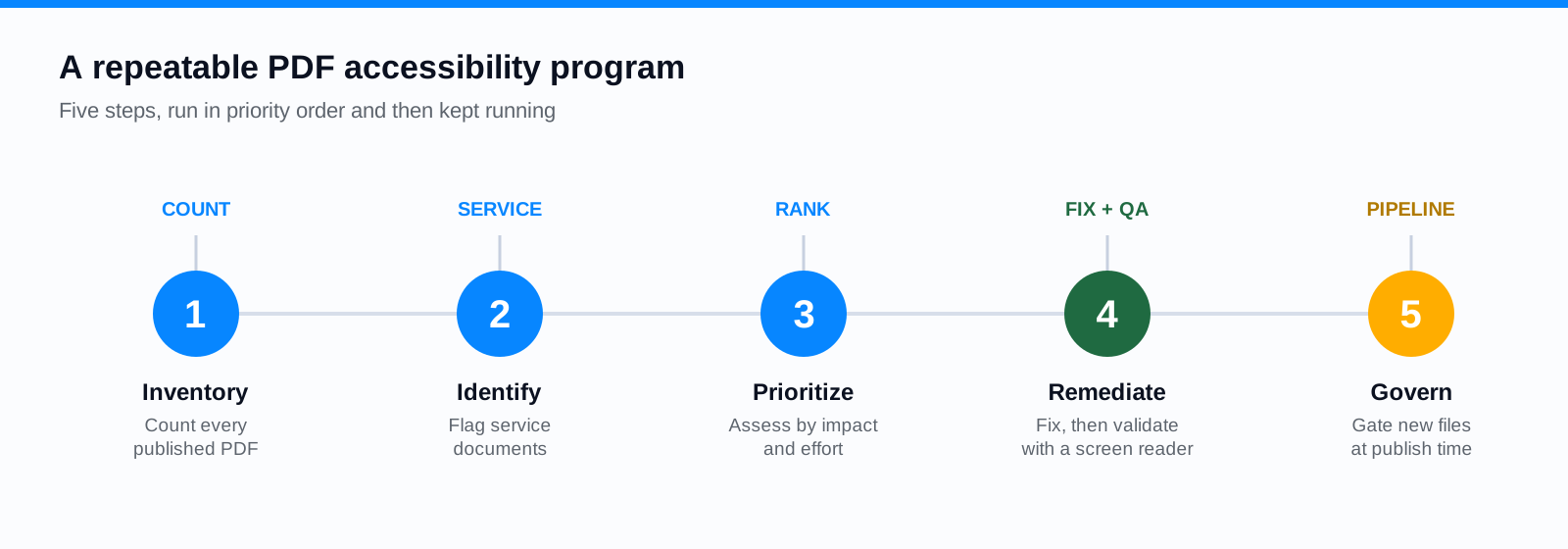
- 1Inventory your PDFs. Crawl the live site and list every linked document with its URL, title, owning department, publish date, and type. You cannot budget a project you cannot size.
- 2Identify the service documents. Flag the files residents use to apply for, access, or participate in a service. These carry the clearest obligation and the highest public impact.
- 3Assess and prioritize. Run each file through an automated accessibility check, note the image-only scans with no text layer, and rank by impact and effort rather than by filename.
- 4Remediate and validate. Fix structure, reading order, tags, and alternative text, then confirm the result with a manual review and assistive-technology testing. An automated pass alone does not prove conformance.
- 5Establish governance. Put a quality gate on publishing so new documents come out accessible instead of joining the backlog. Ongoing remediation is covered in keeping new PDFs in compliance.
How Automation Helps With a Large Backlog
Hand-tagging a PDF takes a trained specialist twenty to thirty minutes on a simple document and far longer on a complex one. No team hand-fixes its way through ten thousand files and also keeps up with the fresh agendas posted every week. This is where automation earns its place: discovering documents across your sites, classifying them by type, running consistent accessibility checks, and doing the repetitive structural work, tags, reading order, draft alternative text, at machine speed.
What automation does not do is sign off by itself. A model can draft alt text for a chart; a person still has to confirm it conveys the right information. It can propose a reading order; a reviewer still has to catch the two-column layout it got backward. The workable pattern is automated remediation plus human validation. PDF Accessibility AI does the heavy repetitive tagging across an archive and routes the output to a specialist for review. Where a document would serve residents better as a web page than a file, PDF to Page rebuilds it as structured, accessible HTML and takes it out of the remediation queue entirely.
Build a Practical PDF Accessibility Roadmap
Sequence the work by risk and public impact, not by whatever is easiest to grab first. A sensible phase one is the small set of high-traffic service documents: the forms, the benefits information, the emergency and permit pages. Phase two is the broad middle, the reports and policies, handled in batches by department. Phase three is governance, so the pipeline stays clean after the deadline passes. A county that inventories in month one, pilots remediation and QA in month two, and scales in month three reaches April 2027 with a working process instead of a panic.
Use the year as runway, not a pause
The extension is time, not absolution. The agencies that will clear the standard comfortably are treating these months as build time: counting the archive, standing up an automated remediation pipeline, and putting a quality gate on new documents. The ones that shelved the project in April will be having this same conversation in early 2027 with less time and a bigger backlog.
Frequently Asked Questions
Does the deadline extension mean we can stop accessibility work?
No. The dates moved to April 26, 2027 and April 26, 2028, but the underlying Title II obligation and the WCAG 2.1 AA standard did not change. The extra year is best spent inventorying and remediating the document backlog, which is the slowest part of the job.
Are older PDFs automatically exempt?
Not automatically. The conditional exception for preexisting conventional electronic documents does not apply when the document is still used to apply for, access, or participate in a service. Many of an agency's most important forms stay in scope regardless of when they were posted. Classify documents in context and seek legal guidance on close calls.
Does passing an automated PDF checker mean a document is compliant?
No. Automated checkers catch many structural and metadata problems, which makes them valuable at scale, but they cannot confirm that reading order is correct, that alternative text is meaningful, or that a screen reader user can complete a form. Full conformance needs manual review and assistive-technology testing on top of the automated pass.
Where should an agency begin with thousands of PDFs?
Begin with an inventory, then remediate the service documents first. Prioritizing a large backlog is its own discipline, which we cover in the companion guide on prioritizing PDF remediation at scale.
Related reading
Want a real count of how far your document library is from WCAG 2.1 AA before April 2027? Book a demo and we will crawl your site and show you the number, then walk through a remediation workflow built for a backlog that size. Cities and counties can start with the local government overview; universities can start with higher education.
Ready to see it in action?
Book a demo and we'll configure Keyspider on a live sample of your content, within 48 hours.
Book a Demo